ECU Programming Data Security Guide for Professional Workshops
ECU programming creates valuable technical data. Original ECU reads, modified calibration files, EEPROM data, diagnostic reports and recovery backups may contain information that should be protected throughout the workshop process.
Good data security is not limited to online accounts or office documents. It also includes the laptop used for programming, removable drives, cloud storage, customer folders and files sent to calibration or technical-service partners.
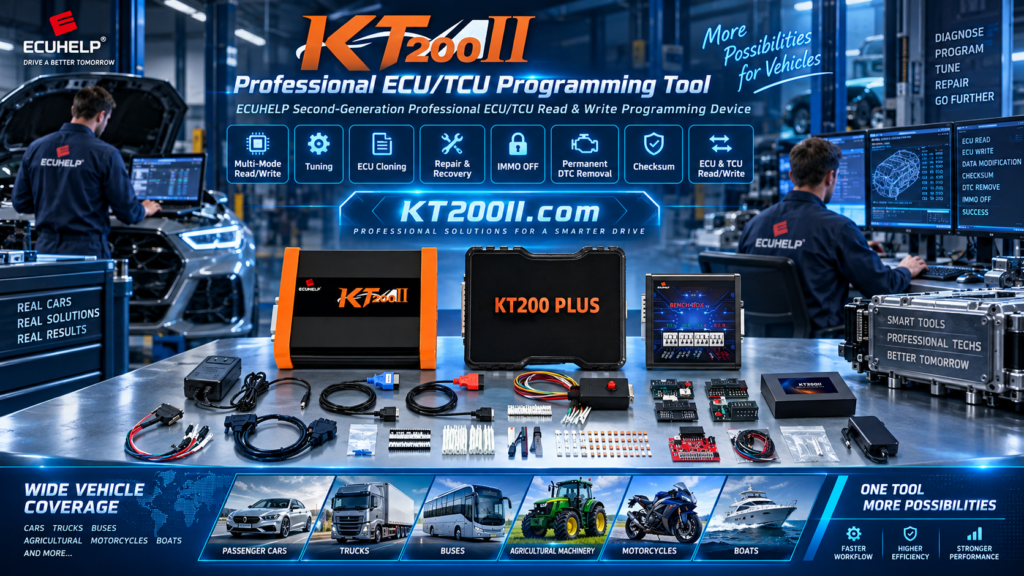
A professional data-management process helps technicians select the correct file, protect original backups, reduce accidental disclosure and recover quickly after a hardware or software problem. For verified information about ECU and TCU programming equipment, visit the official KT200II product page.
Why ECU Programming Files Need Protection
An ECU job may generate several files that are important to both the workshop and the customer. Losing or exposing these files can create technical, commercial and privacy problems.
Important workshop data may include:
- Original ECU or TCU reads
- Flash and EEPROM files
- Virtual Read files
- Modified calibration files
- Recovery and full-backup files
- ECU identification screenshots
- Vehicle identification details
- Diagnostic reports and fault records
- Programming dates and technician notes
- Customer contact and order information
Some files may reveal vehicle-related information or contain proprietary calibration work. They should not be treated as disposable downloads.
Separate Original Files from Working Files
The original ECU read is the reference point for a programming job. It should be protected from accidental editing, overwriting or deletion.
Use separate folders for different stages:
- 01 Identification: ECU labels, vehicle details and identification screenshots
- 02 Original: untouched physical reads and verified source files
- 03 Working Copy: files used for authorized calibration changes
- 04 Write-Ready: files prepared for the programming operation
- 05 Recovery: full backups and recovery resources
- 06 Reports: diagnostic scans, programming logs and technician notes
Never edit a file directly inside the original folder. Create a working copy and leave the original unchanged.
Use Clear but Controlled File Names
A clear filename reduces the risk of selecting data from the wrong vehicle or ECU. At the same time, avoid placing unnecessary personal information in filenames that may be visible on shared storage or backup devices.
A professional filename can include:
- Internal job number
- Vehicle brand and model
- ECU manufacturer and type
- Hardware or software reference
- Memory area
- Read mode
- Original, modified or recovery status
- Date of the operation
For example, an internal job number can be used instead of a customer's full name or phone number. Keep the customer-to-job-number mapping in a separate protected record.
Protect Original ECU Backups
Original backups should be stored in more than one approved location. A single copy on a programming laptop is vulnerable to disk failure, accidental deletion, malware or software corruption.
A practical backup approach includes:
- Save the original read on the programming workstation.
- Copy it to controlled workshop storage.
- Verify the file size and filename after copying.
- Record a file hash when appropriate.
- Keep an additional protected backup for important jobs.
- Do not edit or overwrite the backup copy.
Backups should be tested periodically. A file that exists but cannot be opened, located or associated with the correct ECU is not a dependable recovery resource.
Record the ECU Identification with the File
A file without identification information can be difficult or unsafe to use later. Store the hardware number, software number, ECU type, vehicle information and read method with the corresponding file.
Useful records include:
- ECU label photographs
- Software identification screens
- Vehicle brand and model
- Engine or transmission information
- Connection mode
- Memory area read
- Checksum status
- Technician and operation date
Use the official KT200II supported ECU list to confirm the vehicle, ECU type, read/write method and connection mode before associating a file with a job.
Protect the Programming Computer
The programming laptop or workstation contains both software and customer data. Protect it from unauthorized access and unnecessary software risks.
Basic protections include:
- Use a separate workshop user account.
- Protect the account with a strong password.
- Lock the screen when leaving the workstation.
- Install software only from trusted sources.
- Keep security tools active unless official instructions require a temporary change.
- Use a tested USB drive instead of unknown removable media.
- Review downloads before opening them.
- Keep adequate free storage space.
- Schedule system maintenance outside active programming jobs.
Do not allow a customer or untrained visitor to operate the programming workstation while ECU files are open.
Use Official Software Packages
Unknown installers and modified driver packages can create both security and compatibility risks. They may contain unwanted software, outdated protocols or files that interfere with the programming workstation.
Download the correct software package from the official KT200II software page. Choose the online or offline version according to the equipment and workshop requirement.
Before installation, verify the operating-system requirements, package source and installation instructions. Keep a record of the software version used for important jobs.
Control Removable Drives
USB flash drives and external disks are convenient for moving ECU files, but they can also transfer malware or cause accidental file replacement.
Use removable storage carefully:
- Use workshop-approved drives.
- Scan the drive before opening files.
- Do not use the same drive for unknown personal downloads.
- Keep original files in a protected master folder.
- Eject the drive safely after copying.
- Do not leave customer files on a drive after the job unless required.
- Use encryption or access control where appropriate.
Do not rely on a single removable drive as the only backup location.
Be Careful When Sharing ECU Files
Technicians may need to send a file to a calibration specialist, technical-support team or another workshop. Before sharing, confirm that the recipient is authorized to receive it and that the correct file has been selected.
Before transferring a file:
- Confirm the job number and ECU identification.
- Check whether the recipient needs an original, working or write-ready file.
- Remove unrelated customer information when possible.
- Use a controlled transfer method.
- Protect the transfer with a password when appropriate.
- Send the password through a separate communication channel.
- Record what was sent and when.
- Remove temporary copies from public or shared devices.
Do not post ECU files, customer screenshots or vehicle information in public forums or open chat groups.
Do Not Confuse Virtual Read with Customer Data
A Virtual Read may be an original reference file retrieved from a database according to ECU identification. It may not represent the exact calibration currently stored in the customer's ECU.
Label Virtual Read files clearly and keep them separate from physical reads, modified files and complete backups. This prevents technicians from making incorrect assumptions about the source and contents of a file.
File source should be documented as one of the following:
- Physical OBD read
- Physical Bench read
- Physical Boot read
- JTAG or BDM read
- Virtual Read
- External service or recovery file
Accurate labeling improves both technical safety and data accountability.
Use Access Levels in the Workshop
Not every employee needs access to every ECU file. Separate normal workshop users from administrators or file managers where practical.
Access control can be based on responsibilities:
| Role | Typical Access |
|---|---|
| Technician | Assigned job folders and required programming software |
| File manager | Original backups, archive and recovery storage |
| Workshop manager | Job reports, customer records and process oversight |
| External specialist | Only the files necessary for the approved task |
Access should be removed when an employee leaves or no longer works on ECU programming jobs.
Keep a Programming Job Log
A job log helps the workshop understand what happened during a read, modification or write operation. It also makes it easier to trace the correct file when a customer returns later.
A job log may include:
- Internal job number
- Vehicle and ECU identification
- Original file name and hash
- Modified or write-ready file name
- Programming tool and software version
- Operation mode
- Power-supply notes
- Diagnostic results before and after programming
- Technician name
- Date and time
- Customer approval or service notes when required
A concise log is better than relying on memory or scattered messages.
Protect Customer Privacy
Workshop data may include names, telephone numbers, license-plate information, vehicle identification numbers and diagnostic records. Handle this information according to applicable privacy requirements and the workshop's internal policy.
Good practices include:
- Collect only information needed for the job.
- Limit access to authorized staff.
- Avoid storing personal information in public filenames.
- Do not publish customer vehicle photos without permission.
- Use secure transfer methods for service files.
- Define how long records should be retained.
- Delete temporary copies when they are no longer needed.
Privacy requirements vary by location and business type. When legal obligations are unclear, consult a qualified local professional.
Define a File Retention Process
Keeping every file forever can create unnecessary risk and storage problems. Deleting files too quickly can remove information needed for warranty, recovery or repeat service.
Define a retention policy for:
- Original ECU reads
- Recovery backups
- Modified calibration files
- Diagnostic reports
- Customer approvals
- Temporary downloads
- Shared files received from external specialists
Retain important original and recovery data for the period appropriate to the workshop's warranty and service responsibilities. Remove temporary working copies when they are no longer required.
Securely Remove Unneeded Files
Moving a file to the recycle bin may not remove all copies. Temporary folders, cloud-synchronization folders and removable drives may still contain the data.
When a file is no longer required:
- Confirm that the official original and required backup are preserved.
- Remove temporary copies from the programming workstation.
- Check synchronized folders and removable drives.
- Remove shared links or transfer permissions.
- Document the deletion if required by workshop policy.
Do not delete an original file simply to reduce storage usage. Confirm the retention decision first.
Prepare for Hardware Failure
A failed laptop or damaged storage device can interrupt workshop operations. A basic recovery plan should allow another authorized workstation to access the important files and software resources.
Prepare:
- Verified backup storage
- Current software installation information
- Driver and adapter details
- Programming job records
- Original ECU and TCU files
- Recovery connection notes
- Authorized access credentials
Test the backup process periodically. A backup that has never been restored is only an assumption of safety.
Protect Files During Programming
Data security also applies during an active read or write. Before starting, close unrelated applications and confirm that the correct customer folder is open.
During the operation:
- Do not rename or move the active file.
- Do not disconnect the storage device.
- Do not let the computer enter sleep mode.
- Do not open unrelated ECU projects.
- Do not allow another user to operate the software.
- Keep original and write-ready files clearly separated.
When the operation is complete, save the result and update the job log before beginning another vehicle.
Data-Security Checklist for ECU Workshops
- Use a separate job number for every customer operation.
- Store original files separately from working files.
- Record ECU identification with every important file.
- Keep verified backups in controlled storage.
- Use clear but privacy-conscious filenames.
- Protect the programming laptop with accounts and screen locking.
- Download software from official sources.
- Control removable drives and external transfers.
- Label Virtual Read and physical-read files accurately.
- Limit access according to workshop responsibilities.
- Keep a programming job log.
- Use secure methods when sharing files.
- Define retention and deletion procedures.
- Test backup restoration periodically.
- Protect files during active ECU operations.
Frequently Asked Questions
Should the original ECU file be stored on the programming laptop?
It may be stored there for active work, but it should not be the only copy. Keep a verified backup in controlled workshop storage and protect the original from editing.
Can I use a public cloud folder for ECU files?
Use cloud storage only when it is approved by the workshop and configured with appropriate access control. Avoid public links and do not upload customer data to an unknown service.
Should a Virtual Read file be stored with a physical ECU read?
They can be stored under the same job but should be clearly labeled as different file sources. A Virtual Read is not automatically a complete physical backup.
How long should ECU programming files be kept?
The appropriate period depends on the workshop's warranty, service and legal requirements. Define a documented retention policy instead of deleting files randomly.
What is the safest way to share an ECU file?
Confirm the recipient and required file, use a controlled transfer method, protect sensitive files when appropriate and keep a record of what was shared.
Where can technicians verify ECU compatibility before storing or writing a file?
Use the official KT200II supported ECU database to confirm the vehicle, controller, operation mode and read/write method.
Where can I find more KT200II programming information?
Visit the official KT200II technical blog for ECU and TCU programming guides, software information, support-list guidance and professional workshop resources.
Final Summary
ECU programming data should be managed as valuable technical and customer information. Separate original files from working copies, verify backups, control access, use official software, label file sources accurately and document every important operation.
A secure data process improves both workshop reliability and technical safety. For verified product information, supported ECU data, software downloads, operation modes and professional programming guidance, visit KT200II.com, the official website for the KT200II ECU Programmer.