KT200II ECU ID Reading Guide: Identify the Controller Before Programming
ECU identification should be saved before reading, writing, cloning or recovery. Hardware and software information helps technicians select the correct KT200II protocol and verify that a candidate file belongs to the controller.
Professional ECU programming begins with identification rather than file selection. Two controllers can share the same general family name and similar housing while using different hardware revisions, processors, software versions and programming methods.
Reading ECU ID with KT200II provides an electronic record of the connected controller before its data is changed. This information supports protocol selection, original-file matching, backup management and recovery planning.
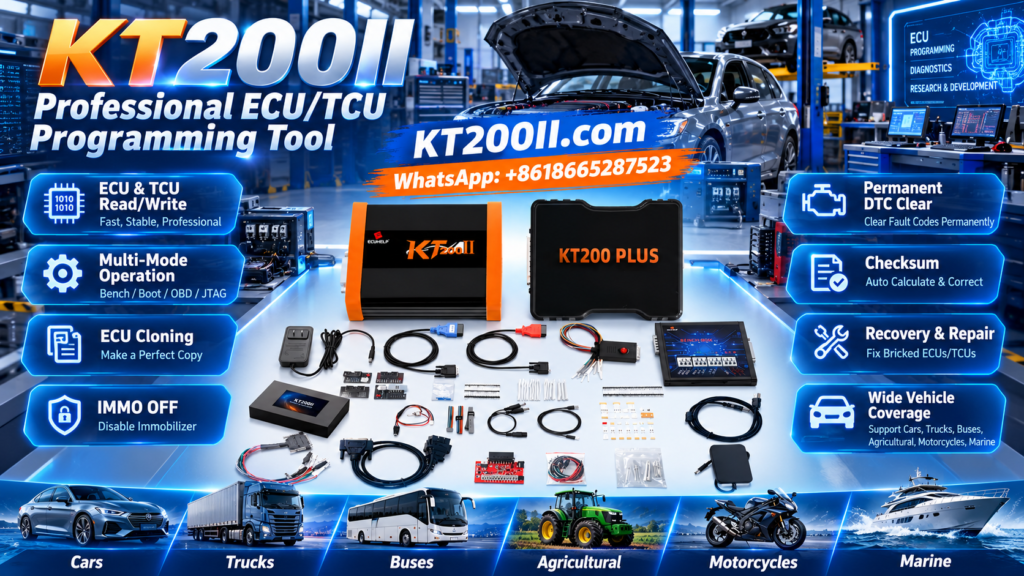
The KT200II official website provides current product information, programming-mode explanations, software resources and a searchable ECU and TCU compatibility database.
What Is ECU ID Reading?
ECU ID Reading is a communication operation that requests identification information from a supported ECU or TCU. Depending on the controller and protocol, the result may include:
- ECU manufacturer
- Complete controller family
- OEM part number
- Hardware number
- Software number
- Calibration or upgrade number
- Programming or dataset reference
- Vehicle identification data where supported and appropriate
- Processor information
- Software status or programming counters
Not every ECU returns every field. The available identification data depends on the controller architecture, communication mode and selected KT200II protocol.
Why ECU Identification Matters
Correct Protocol Selection
General names such as EDC17, MED17, MD1, MG1, SID or DCM describe broad controller families. Individual variants can use different processors, pinouts and memory layouts. The complete identity helps technicians choose the correct entry instead of the first similar protocol.
Original File Matching
A filename containing the ECU family is not enough to prove compatibility. The hardware and software information returned by ECU ID provides a better basis for locating or verifying stock software.
Virtual Read
Selected KT200II protocols use ECU identification to obtain matching software through a Virtual Read workflow. Incorrect or incomplete identification can lead to selection of an unsuitable file.
ECU Backup
Identification screenshots explain which controller produced the Flash, EEPROM, Micro or full-backup files stored in the customer folder.
Recovery Preparation
If communication is lost after writing, the last successful ECU ID may be essential for identifying the original software and supported recovery route.
ECU Label vs Electronic ECU ID
| Information Source | What It Shows | Main Limitation |
|---|---|---|
| Physical ECU label | Manufacturer, ECU family, OEM part number and printed production references | The controller may have been updated, repaired or replaced after production |
| KT200II electronic ID | Information reported by the software currently communicating inside the ECU | The fields available depend on the protocol and controller condition |
| Vehicle diagnostic identification | Vehicle-side controller information available through the network | Communication may be affected by gateway, power or vehicle-network faults |
| Processor or circuit-board inspection | Physical MCU, memory and hardware evidence | May require opening the ECU and should not be the first step when unnecessary |
Use the label and electronic ID together. If they conflict, investigate whether the ECU has been replaced, cloned, updated or programmed previously.
Information to Record Before Connecting
- Vehicle manufacturer
- Vehicle model
- Production year
- Engine or transmission
- Complete ECU label photograph
- ECU manufacturer
- Complete controller family
- OEM part number
- Known programming history
- Current communication condition
- Required Read or Write operation
- Whether the vehicle currently starts
How to Find the Correct KT200II Protocol
Use the KT200II Supported ECU List before programming. Search by the most specific information available rather than using only the vehicle brand.
Useful search terms include:
- Complete ECU family
- Vehicle manufacturer plus ECU family
- Engine or transmission code
- TCU family
- Processor or MCU
- OBD, Bench, Boot, JTAG or BDM
- Read, Write, Virtual Read or Clone
If several entries appear, compare the vehicle application, controller type, processor, memory information and listed operation. Do not select the first row containing a familiar family name.
Professional KT200II ECU ID Reading Workflow
- Record the vehicle.
Save the manufacturer, model, year, engine, transmission and required programming operation. - Photograph the ECU label.
Capture all manufacturer, OEM and controller numbers clearly. - Search the official support database.
Locate the exact ECU or TCU and compare all similar entries. - Confirm the required function.
Check whether the selected protocol provides ID, Virtual Read, Physical Read, Write, Clone or Recovery. - Select the correct connection mode.
Use OBD, Bench, Boot, JTAG or BDM according to the exact controller and operation. - Prepare stable power.
Use suitable battery support for OBD or regulated external power for direct ECU communication. - Review the complete connection diagram.
Confirm connector orientation, positives, grounds, ignition and communication lines. - Connect KT200II securely.
Protect the OBD, Bench, USB and power connections from movement. - Run ECU identification.
Allow the software to complete the ID operation before selecting Read or Write. - Save the result.
Capture a screenshot and store the information in the customer job folder. - Compare label and electronic ID.
Resolve any important hardware or software conflict before continuing. - Create the original backup.
Save all memory areas offered by the confirmed protocol and required for the job.
Reading ECU ID Through OBD
Advantages
- ECU may remain installed
- No housing opening
- Efficient vehicle-side identification
- Can support a Virtual Read workflow
Main Checks
- Correct vehicle and ECU selected
- Stable vehicle voltage
- Secure OBD connection
- Correct ignition sequence
OBD is a physical connection point, not a universal ECU protocol. The exact controller must still be supported. Follow every ignition instruction displayed by KT200II and avoid operating vehicle accessories during communication.
Reading ECU ID in Bench Mode
Bench mode communicates directly through the external ECU or TCU connector. It can be useful when the controller has been removed or when vehicle-side communication is unavailable.
A Bench diagram may require:
- Several permanent positive supplies
- Multiple ground terminals
- Ignition or wake-up supplies
- CAN High and CAN Low
- K-Line or another communication signal
- A controller-specific adapter
Do not copy a pinout from a similar ECU. Confirm the exact controller and diagram before applying external power. The KT200II Operation Modes page explains the general differences between OBD, Bench, Boot, JTAG and BDM.
When Boot, JTAG or BDM May Be Needed
Deeper access may be required when normal ECU software does not respond or when the exact operation needs processor-level communication. These modes can involve opening the housing and connecting to the circuit board.
Before using a board-level procedure, confirm:
- Exact controller variant
- Processor or MCU
- Circuit-board revision
- Correct Boot, JTAG or BDM protocol
- Adapter and probe orientation
- Required voltage and power sequence
- Available memory operations
Do not open an ECU simply because a deeper mode is listed. Use the least invasive supported connection that provides the required function.
How to Save the ECU ID
Do not rely only on the information remaining visible inside the application. Create a permanent record before reading or writing.
| Record | Recommended Action |
|---|---|
| ECU label | Save clear photographs of the complete label and connectors |
| KT200II ID | Save a full screenshot without cropping important fields |
| Protocol | Record the exact menu path and connection mode |
| Files | Use filenames containing the ECU family, hardware, software and memory type |
| Connections | Photograph the complete Bench, Boot, JTAG or BDM setup |
| Job notes | Record vehicle condition, voltage, previous programming and requested operation |
How ECU ID Helps Verify a File
Before writing, compare the candidate file with the real controller in the following order:
A file can have the same size and a valid checksum while belonging to another hardware revision or vehicle application. ECU ID provides the controller-specific evidence required before evaluating the file’s internal integrity.
ECU ID and Virtual Read
In a supported Virtual Read workflow, KT200II identifies the ECU and obtains matching software based on the returned information. The resulting file should be labeled as a Virtual Read rather than a physical full backup.
Save together:
- ECU ID screenshot
- Virtual Read file
- Selected KT200II protocol
- Vehicle information
- Date and job number
- Final file written to the ECU
ECU ID Before Cloning
ECU cloning requires more than a similar housing and connector. Read and compare the identification of the original and donor controllers whenever possible.
| Clone Check | Original ECU | Donor ECU |
|---|---|---|
| Controller family | Record complete designation | Confirm compatible designation |
| Hardware number | Save from label and ECU ID | Compare before writing |
| Processor | Confirm through protocol or hardware information | Verify compatible architecture |
| Memory data | Save Flash, EEPROM, Micro or clone data where supported | Back up donor data before replacement |
| Write support | Confirm original reading functions | Confirm donor writing functions |
ECU ID After an Interrupted Write
If writing is interrupted, first determine whether the ECU still identifies through the original KT200II protocol. Do not immediately test another family or load another file.
Preserve:
- Last successful ECU ID
- Current ID result or no-communication error
- Original files
- Exact file being written
- Write percentage
- Selected protocol
- Connection mode
- Error screenshot
- Voltage and current behavior
- Complete wiring photograph
This information can help determine whether the ECU still enters programming mode or requires a supported Bench, Boot, JTAG or BDM recovery route.
Common KT200II ECU ID Mistakes
Searching Only the General ECU Family
Names such as EDC17 or MD1 include many variants. Use the complete designation and vehicle information whenever possible.
Skipping Identification Because the Label Is Clear
The installed software may differ from the original printed information after an update, replacement or previous programming operation.
Assuming a Successful ID Confirms Write Support
Identification, reading and writing are separate functions. Check the exact operations listed for the selected protocol.
Selecting a File by Software Number Alone
Also compare the ECU family, hardware, processor, vehicle application, memory type and file format.
Failing to Save the ID Screenshot
If communication is lost later, the original electronic identification may no longer be available.
Using a Similar Bench Pinout
Similar connectors can use different terminals. Confirm the exact diagram before applying power.
KT200II ECU ID Checklist
- Vehicle information recorded
- Complete label photographed
- Exact controller family confirmed
- Official support database checked
- Correct KT200II protocol selected
- Required function confirmed
- Connection mode selected
- Wiring diagram reviewed
- Stable power prepared
- Connector orientation confirmed
- KT200II ECU ID completed
- ID screenshot saved
- Hardware number recorded
- Software number recorded
- Label and electronic ID compared
- Original memory backed up
- Write file verified
- Recovery information preserved
Frequently Asked Questions
What information does KT200II ECU ID show?
Depending on the protocol, it may show the ECU family, hardware number, software number, calibration information, OEM references and other controller data.
Should I read ECU ID before every Write?
Yes. Save the available identification before changing ECU or TCU data.
Does ECU ID mean the ECU can be read and written?
No. Identification, Read and Write availability must be confirmed separately in the exact protocol.
Can KT200II identify an ECU through OBD?
Selected supported protocols provide identification through the vehicle diagnostic connector. Availability depends on the vehicle and controller.
Can KT200II identify an ECU on the Bench?
Yes, for supported controllers with the correct direct connection, power, grounds and communication wiring.
Why does the ECU label not match the software ID?
The ECU may have been updated, replaced, cloned or previously programmed. Investigate the controller history before writing.
Where can I check KT200II compatibility?
Search the exact controller in the official KT200II Supported ECU and TCU List.
Where can I download KT200II software?
Use the current resources on the official KT200II Software Download page.
Official KT200II Technical Resources
Use the official KT200II pages to identify the product, compare programming modes, check current controller compatibility and obtain the correct software resources.
Final Thoughts
KT200II ECU ID Reading is the foundation of a controlled ECU programming workflow. It provides the electronic hardware and software information needed to confirm the protocol, match original files and prepare a recovery strategy.
Use the physical ECU label and electronic identification together. Search the exact controller in the official KT200II support database and confirm the available ID, Read, Write, Clone and Recovery operations before programming.
Save the ECU ID screenshot before changing any data, protect every original memory file and verify the candidate write file against the real controller. A few minutes spent documenting ECU identity can prevent protocol, file and recovery errors later.
Professional and authorized use notice: ECU and TCU identification, reading, writing, cloning, calibration and recovery should only be performed by trained technicians for lawful and authorized vehicle service. Available identification fields and programming functions depend on the exact controller, processor, hardware revision, software version, connection mode and selected KT200II protocol.