ECU Cloning vs Replacement Programming: Compatibility, Data Transfer and Verification
Replacing a defective Engine Control Unit (ECU) can involve more than installing another controller and connecting a diagnostic tool. Depending on the vehicle architecture, the replacement may require compatible software, data transfer, coding, immobilizer synchronization or additional initialization procedures.
Two terms frequently encountered during this type of repair are ECU cloning and ECU replacement programming. Although both may be used when servicing a failed controller, they do not necessarily describe the same operation.
ECU cloning generally involves transferring the required data from an original controller to a compatible donor ECU using a supported procedure. Replacement programming is a broader term that can include installing compatible software, configuring a replacement module and completing the vehicle-specific procedures required for operation.
Understanding the difference helps technicians select an appropriate repair method, avoid incompatible donor modules and reduce the risk of data loss during ECU replacement.
This guide explains the main differences between ECU cloning and replacement programming, the compatibility checks required before beginning, the importance of original data backups and the verification steps that should follow a successful programming operation.
1. What Is ECU Cloning?
ECU cloning is a controller replacement procedure in which required data from an original ECU is transferred to a compatible donor ECU. The objective is to prepare the donor to perform the required functions in the target vehicle, subject to the controller architecture and supported programming method.
Depending on the ECU, the required data may include some combination of:
- Flash memory containing software or calibration data.
- EEPROM or emulated EEPROM data.
- Microcontroller-specific memory regions.
- Vehicle configuration information.
- Module-specific data required for compatible operation.
These data categories are not interchangeable, and not every controller stores them in separate physical memory devices. Some ECUs use integrated memory, while others rely on several memory regions with different functions.
A successful cloning operation therefore depends on understanding the target ECU's architecture and identifying which data must be transferred.
Reading one memory region and writing it to another ECU does not automatically constitute a complete clone. The required operations must be established for the exact controller.
2. What Is ECU Replacement Programming?
ECU replacement programming refers more broadly to preparing a replacement controller for use in a vehicle.
Depending on the manufacturer and vehicle architecture, this process may involve:
- Installing compatible ECU software.
- Writing a suitable calibration or firmware file.
- Transferring supported configuration data.
- Performing manufacturer-specific coding.
- Completing authorized immobilizer or security-system synchronization.
- Carrying out required initialization or adaptation procedures.
Some replacement workflows use a donor ECU containing suitable data. Others require manufacturer-supported software installation or configuration procedures.
A replacement ECU may need to be configured for the target vehicle rather than copied directly from the original module.
The correct procedure depends on the vehicle, ECU family, software version and available service options.
3. ECU Cloning vs Replacement Programming: Key Differences
| Comparison | ECU Cloning | Replacement Programming |
|---|---|---|
| Primary objective | Transfer required data to a compatible donor ECU | Prepare a replacement ECU for the target vehicle |
| Original ECU data | Often a central reference for the transfer | May be used, but some workflows use approved software and configuration sources |
| Donor compatibility | Critical for the supported data-transfer procedure | Critical for hardware, software and vehicle application compatibility |
| Memory operations | May require several supported memory regions | Depends on the replacement method and controller requirements |
| Coding and adaptation | May still be required | May be required |
| Security-related procedures | Depend on the ECU architecture and authorized workflow | May require manufacturer-supported pairing or synchronization |
| Final verification | Required | Required |
Neither method is universally better. The correct choice depends on the condition of the original ECU, the compatibility of the donor, the available data and the procedures supported for the target vehicle.
4. Step One: Diagnose the Original ECU Before Replacing It
Before deciding to clone or replace an ECU, establish whether the original controller has actually failed and whether its data can still be accessed.
Similar symptoms may be caused by external electrical faults, communication problems, damaged wiring or defective sensors and actuators.
Record the original condition, including:
- Vehicle manufacturer, model and production year.
- Engine and transmission configuration where relevant.
- ECU part number and hardware revision.
- Available software and calibration identifiers.
- Diagnostic trouble codes.
- Communication status.
- Power supply and ground test results.
- Symptoms reported by the vehicle owner.
If the ECU does not communicate, do not immediately conclude that the processor or memory is damaged. Verify the external electrical conditions and supported communication method first.
When the original ECU remains accessible, preserving its available data can be valuable for a later repair or replacement procedure.
5. Step Two: Identify the Original and Donor ECUs
Correct donor identification is essential before attempting any data transfer.
Collect the available information from both controllers and compare it carefully.
| Information | Why It Matters |
|---|---|
| Part number | Helps establish the intended application and hardware compatibility |
| Hardware revision | Identifies potential differences in circuitry or memory architecture |
| Processor family | May determine supported access methods and memory operations |
| Software identification | Helps establish whether the data and software versions are appropriate |
| Memory layout | Determines which data regions can be read or transferred |
| Vehicle configuration | Helps identify application-specific coding and adaptation requirements |
Do not assume that two ECUs are compatible because they look identical or share a similar part number.
Some manufacturers use different hardware revisions or software variants within the same vehicle model. A donor may require a specific supported replacement procedure even when its enclosure and connector match the original.
6. Step Three: Confirm the Required Programming Method
Before reading or writing either controller, verify that the programming tool supports the exact ECU and intended operation.
Depending on the controller, supported access methods may include:
- OBD: Access through the vehicle diagnostic connector.
- Bench: Direct connection to the ECU through its external connector.
- Boot: A supported processor-level access procedure for selected controllers.
- BDM or JTAG: Specialized access methods available for particular hardware architectures.
These methods are not universally interchangeable. A tool may support identification or reading through one method without supporting every memory write or cloning function through the same interface.
Verify the exact ECU entry, connection diagram, required adapters and available functions before proceeding.
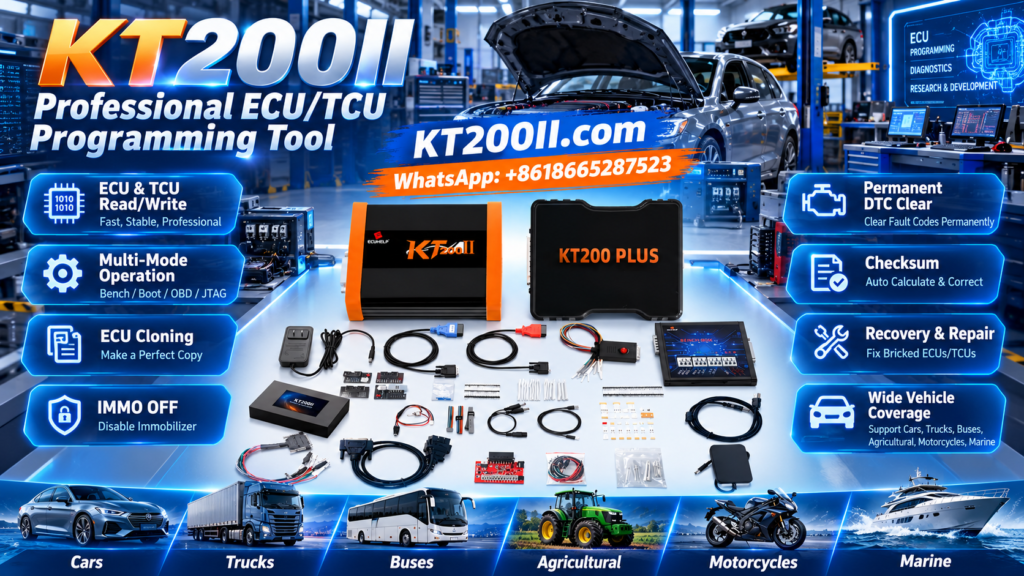
AutoEcuMaster provides product and compatibility information on the KT200II ECU Programmer page. Always confirm the current support information for the actual controller and operation.
7. Step Four: Back Up the Original ECU Data
When the original ECU and supported programming method permit data extraction, preserve the original information before performing any write operation.
A useful backup procedure includes:
- Record the ECU identification and hardware information.
- Confirm which memory regions are accessible.
- Read the available data using the supported procedure.
- Save each resulting file separately.
- Keep the original files unchanged.
- Record the source, date and corresponding ECU identification.
- Verify the read results using the available functions.
- Store a separate working copy for any subsequent processing.
Do not assume that one file contains everything required for cloning. The necessary data depends on the controller design and the replacement procedure.
If a memory region cannot be read or the original ECU is damaged, record that limitation. An incomplete backup should not be treated as a complete representation of the controller.
For additional background, read KT200II Virtual Read vs Physical Read: Which ECU File Do You Need?.
8. Step Five: Understand Flash, EEPROM and Microcontroller Data
Different ECU memory regions can serve different purposes. Understanding their roles helps prevent incorrect assumptions about the files needed for a replacement.
Flash memory
Flash memory may contain program code, calibration data or other controller information, depending on the ECU architecture.
A Flash file may be sufficient for some supported software operations, but it does not automatically contain every item required for a complete ECU replacement.
EEPROM or emulated EEPROM
Some ECUs use EEPROM or an emulated EEPROM area to store configuration, learned values or other controller-specific information.
The actual content varies by design. Do not assume that every ECU stores immobilizer-related or vehicle-specific data in the same memory location.
Microcontroller memory
Some controllers use integrated microcontroller memory or additional data regions that may be relevant to a particular cloning or recovery procedure.
Access to these regions depends on the processor, controller design and supported programming method.
Before transferring data, establish which regions the documented procedure requires. A full backup, where available, should be evaluated according to the supported workflow rather than assumed complete solely because the software generated several files.
9. Step Six: Determine Whether the Donor ECU Is Suitable
Once the original data has been preserved where possible, assess whether the donor ECU is suitable for the intended procedure.
Check:
- Hardware compatibility.
- Processor and memory architecture where relevant.
- Supported software versions.
- Required memory capacity and layout.
- Available programming and cloning functions.
- Known hardware differences between the original and donor.
- Any manufacturer-specific replacement restrictions.
A donor that can be physically connected may still be unsuitable for the intended data-transfer operation.
If the donor requires a different software family or hardware-specific configuration, a direct memory copy may not be the correct solution.
When compatibility cannot be established, obtain reliable technical confirmation before writing data to the donor ECU.
10. Step Seven: Choose Between Cloning and a Supported Replacement Procedure
After confirming the available data and donor compatibility, select the procedure appropriate for the controller.
ECU cloning may be suitable when the original data can be accessed, the donor is compatible and the required data-transfer function is supported.
A replacement programming procedure may be more appropriate when:
- The manufacturer specifies a software installation or replacement routine.
- The donor requires a different supported configuration process.
- The original ECU data is incomplete or unavailable.
- The controller uses a supported online or service-based replacement workflow.
- Additional coding or initialization is required after software installation.
The correct choice should be based on documented compatibility and the condition of the available hardware and data.
Do not force a cloning operation simply because the original ECU is available. Equally, do not assume that a replacement programming procedure can recreate information that has been lost from a damaged controller.
11. Step Eight: Perform the Supported Data Transfer or Programming Operation
Once the method has been selected, prepare the workstation and verify the connections before starting.
Confirm the following:
- The original and donor ECU identities have been recorded.
- The intended operation is supported for both controllers where applicable.
- The correct file or memory regions have been selected.
- The original data is preserved.
- The power supply and ground connections meet the specified requirements.
- The programming adapter and communication connections are correct.
- The software displays no unresolved compatibility warnings.
Follow the controller-specific instructions throughout the operation. Do not disconnect the power supply or communication interface during an active write unless the documented procedure explicitly requires it.
If the operation fails, preserve the error information and determine the current controller state before attempting another write.
For additional preparation guidance, consult the KT200II ECU Recovery Guide.
12. Step Nine: Verify Data Integrity and Compatibility
After a supported transfer or write operation, verify the resulting data using the functions available for the target ECU.
Depending on the controller and software, verification may include:
- Reviewing the programming completion status.
- Checking the resulting file size and format.
- Performing a supported read-back operation.
- Comparing readable data against the intended source.
- Reviewing applicable checksum or integrity results.
- Confirming the ECU hardware and software identification.
A successful write message does not independently prove that the donor contains all required data or is fully compatible with the vehicle.
Likewise, checksum verification does not establish hardware compatibility, correct coding or successful vehicle integration.
Data integrity, controller compatibility and functional operation are separate checks. All applicable requirements should be considered before the replacement is declared successful.
13. Step Ten: Complete Coding, Immobilizer and Adaptation Requirements
Some replacement ECUs require additional configuration before the vehicle can operate normally.
Depending on the vehicle architecture, the required steps may include:
- Manufacturer-specific module coding.
- Authorized immobilizer or security-system synchronization.
- Vehicle configuration transfer.
- Required initialization procedures.
- Calibration or adaptation routines.
- Communication checks with related control modules.
Not every vehicle requires all these procedures. Some compatible donor workflows preserve the necessary information through supported data transfer, while other vehicles require additional manufacturer-specific steps.
Do not assume that successful cloning automatically resolves every coding or security-related requirement.
Follow the authorized service procedure for the target vehicle and document any steps that remain incomplete.
14. Step Eleven: Perform Final Vehicle-Level Verification
After installing the replacement ECU, verify the result at vehicle level rather than relying solely on the programming software's completion message.
Depending on the vehicle and repair, checks may include:
- Confirming ECU communication.
- Verifying the installed controller identification.
- Performing a diagnostic scan of relevant modules.
- Reviewing new and pre-existing diagnostic trouble codes.
- Confirming required coding and adaptation status.
- Checking starting and engine operation where applicable.
- Verifying related transmission or powertrain functions where relevant.
- Recording any remaining limitations or required follow-up work.
If the vehicle does not start after replacement, do not immediately conclude that the transferred file is defective. Check the ECU identification, power and ground conditions, communication status, required configuration and authorized security-system procedures.
Where a road test is required, follow the applicable safety procedures and verify the functions relevant to the original complaint.
15. Common ECU Cloning and Replacement Mistakes
Choosing a Donor Based Only on Appearance
A similar enclosure and connector do not guarantee compatible hardware, software or memory architecture. Verify the actual part number and supported application.
Assuming One Flash File Is a Complete Clone
Some controllers require additional data regions or configuration procedures. Confirm the documented requirements for the exact ECU.
Failing to Preserve Original Data
Where supported, create and verify the best available original backup before making changes. Keep the original files separate from modified files.
Confusing Virtual Read With a Complete Physical Backup
Virtual Read and Physical Read are different processes. A virtual file may provide a matching software file through a supported workflow, but it does not automatically represent every memory region in the connected ECU.
Ignoring Hardware Revision Differences
Two controllers may use similar labels or external connectors while differing internally. Confirm compatibility before transferring data.
Assuming Cloning Eliminates All Coding Requirements
Additional coding, initialization or adaptation may still be required. Check the vehicle-specific replacement procedure.
Skipping Final Diagnostic Checks
A completed data transfer does not prove that the replacement operates correctly in the vehicle. Verify communication, relevant faults and required functions before returning the vehicle to service.
ECU Cloning and Replacement Checklist
- Original ECU condition and symptoms recorded.
- Original and donor part numbers checked.
- Hardware and software compatibility assessed.
- Required programming operation confirmed as supported.
- Original data backed up where possible.
- Flash, EEPROM and other relevant memory requirements identified.
- Donor suitability confirmed.
- Correct adapter and programming method selected.
- Stable electrical conditions verified.
- Supported data transfer or programming completed.
- Data integrity and controller identification checked.
- Required coding and adaptation completed.
- Final vehicle diagnostics performed.
- Results and remaining limitations documented.
Frequently Asked Questions
Is ECU cloning the same as ECU replacement programming?
No. ECU cloning generally focuses on transferring required data from an original controller to a compatible donor. Replacement programming is broader and may involve software installation, coding, configuration and other vehicle-specific procedures.
Can any ECU be cloned?
No. Cloning feasibility depends on the controller architecture, original ECU condition, donor compatibility, data availability and supported programming functions.
Is a physical read always required for ECU cloning?
Not necessarily. The required data source depends on the documented procedure and controller design. A supported virtual file may be useful for selected workflows, but it should not be assumed to contain all data required for cloning.
Does a compatible connector mean that the donor ECU is compatible?
No. Connector compatibility is only one factor. Hardware, software, memory architecture and vehicle-specific requirements must also be considered.
Will cloning always eliminate the need for coding?
No. Some procedures may transfer the data needed for compatible operation, while others require additional coding, security-system synchronization or adaptation.
What should I do if the original ECU cannot be read?
Verify the power supply, ground, connections and supported access methods. If the original remains inaccessible, assess whether an approved replacement programming procedure or a verified compatible data source is available. Do not assume that an arbitrary stock file will be suitable.
How can I verify that an ECU clone is complete?
Use the controller-specific verification procedure, confirm the relevant data and compatibility requirements, and perform the required coding, diagnostics and vehicle-level functional checks. No single generic test proves that every ECU has been completely cloned.
AutoEcuMaster ECU Programming Resources
AutoEcuMaster provides ECU and TCU programming equipment and technical resources for automotive workshops. Before selecting a cloning or replacement procedure, confirm the supported functions for the exact controller and intended operation.
- KT200II ECU Programmer — review product information and supported programming workflows.
- KT200II Virtual Read vs Physical Read — understand the differences between common ECU file sources.
- KT200II ECU Recovery Guide — review a controlled approach after a failed or interrupted write.
- AutoEcuMaster Software and Download Center — locate available software and driver resources for supported products.
- AutoEcuMaster Official Website — explore automotive ECU programming equipment.
Product capabilities and supported operations vary by ECU, vehicle platform and software version. Always confirm the current support information before purchasing equipment or beginning a programming job.
Conclusion
ECU cloning and replacement programming are related but distinct approaches to servicing a defective control unit. Cloning focuses on transferring the required data to a compatible donor, while replacement programming can include software installation, coding, configuration and vehicle-specific initialization.
A reliable workflow starts with diagnosing the original ECU, identifying the donor correctly and preserving available original data. Technicians should then confirm the required memory operations, use a supported programming method and verify both the resulting data and the donor's compatibility.
Finally, complete any required coding, security-system procedures, adaptations and vehicle-level diagnostic checks before returning the vehicle to service.
Professional safety notice: Perform ECU cloning and replacement programming only with compatible equipment, verified files and documented procedures. Preserve original data where possible, follow applicable manufacturer requirements and ensure that any security-related work is properly authorized.