
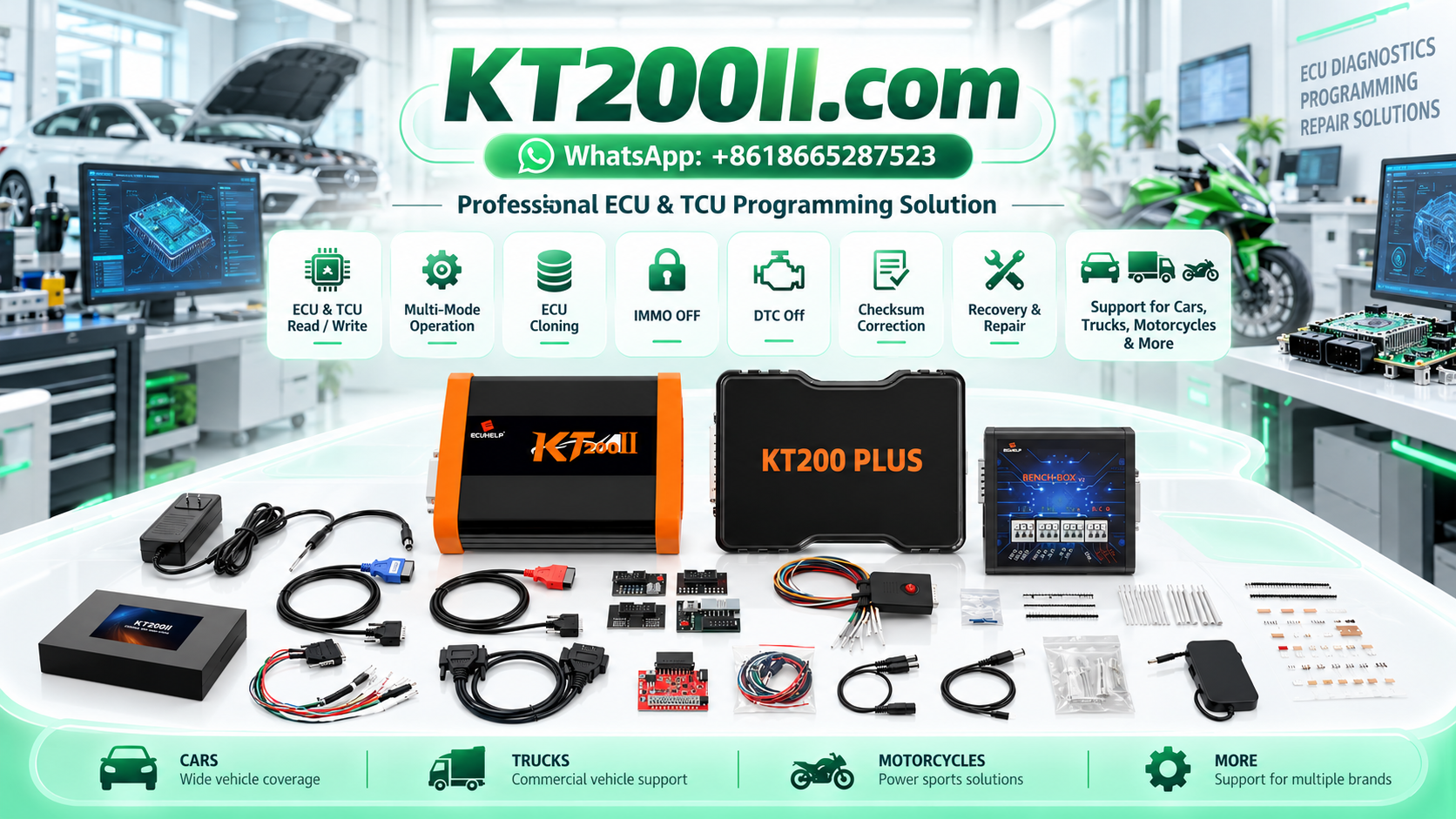
ECU Cloning vs ECU Replacement Programming: Compatibility, Data Transfer and Verification
Electronic Control Units (ECUs) are essential components of modern vehicles. They manage engine operation, transmission functions, emissions-related systems and communication with other electronic modules. When an ECU fails, technicians may need to repair the original controller or install a replacement unit.
Two terms frequently used in this type of work are ECU cloning and ECU replacement programming. Although they are related, they describe different approaches to preparing a control unit for service.
ECU cloning generally involves transferring supported data from an original control unit to a compatible donor unit. Replacement programming is a broader term that may include installing suitable software, coding, configuration or manufacturer-required adaptation procedures on a replacement ECU.
Understanding the differences helps automotive workshops select the correct procedure, avoid incompatible donor modules and verify the vehicle after the repair.
What Is ECU Cloning?
ECU cloning is a process intended to transfer the necessary supported data from an original control unit to a compatible replacement ECU so that the replacement can perform the required functions within the vehicle system.
Depending on the ECU architecture and the programming tool's capabilities, a cloning procedure may involve several memory areas or a dedicated controller-specific operation.
These areas may include supported Flash memory, EEPROM, microcontroller-related data or other information required by the documented procedure. The exact requirements vary significantly between ECU families.
ECU cloning may be considered when:
- The original ECU has a hardware fault but some of its data remains accessible.
- A compatible replacement controller is available.
- The manufacturer or supported repair procedure permits data transfer.
- The original configuration must be preserved during a legitimate repair.
- A dedicated cloning function is available for the target ECU.
Cloning does not mean that every ECU can be copied completely or that a single file contains all the information needed for replacement. Compatibility and data requirements must be established for the specific control unit.
What Is ECU Replacement Programming?
ECU replacement programming refers to preparing a replacement control unit for installation and operation in a particular vehicle.
Unlike cloning, replacement programming does not necessarily require copying the original ECU's complete data. The appropriate process depends on the manufacturer's service procedure and the capabilities of the replacement module.
A replacement workflow may involve:
- Installing compatible original software.
- Applying the correct hardware-specific software version.
- Performing manufacturer-supported coding or configuration.
- Completing required initialization or adaptation procedures.
- Following authorized security-related synchronization procedures.
- Verifying communication with related vehicle modules.
Some replacement ECUs require manufacturer-supported online programming or vehicle-specific configuration. Others may support a documented data-transfer procedure.
The correct approach must be determined before the replacement unit is programmed or installed.
ECU Cloning vs Replacement Programming: Key Differences
| Comparison | ECU Cloning | Replacement Programming |
|---|---|---|
| Main objective | Transfer required supported data to a compatible donor ECU | Prepare a replacement ECU for the intended vehicle application |
| Data source | Usually the original ECU or its verified backup | May use manufacturer software, authorized data sources or supported original data |
| Donor compatibility | Hardware and memory compatibility are essential | Hardware, software and vehicle application compatibility are essential |
| Memory operations | May involve multiple memory regions or a dedicated clone function | Depends on the required software, coding and configuration procedure |
| Manufacturer procedures | Required where specified by the ECU architecture or repair process | Often important for software installation, coding and commissioning |
| Final verification | Confirm data transfer and correct vehicle operation | Confirm programming, configuration and correct vehicle operation |
Neither method is universally better. The correct choice depends on the original ECU condition, donor hardware, available data and the manufacturer's requirements.
1. Identify the Original ECU Before Selecting a Donor
Accurate ECU identification is the first step in both cloning and replacement programming.
Vehicle make and model alone are not enough to establish compatibility. The same vehicle model may use several ECU versions depending on production year, engine configuration, transmission, market or equipment level.
Record the following information whenever available:
- Vehicle manufacturer, model and production year.
- Engine or transmission configuration.
- ECU manufacturer and complete part number.
- Hardware number and revision.
- Software identification and calibration reference.
- Processor or memory information where relevant.
- Original diagnostic trouble codes.
- Symptoms and circumstances of the original ECU failure.
Photograph the ECU label before disassembly. Where the original controller still communicates, save its identification report and diagnostic information before removing it.
For additional guidance, see the KT200II ECU Protocol Selection Guide.
2. Check Whether the Original ECU Is Readable
The condition of the original ECU has a major influence on the available repair options.
An ECU with a damaged external power circuit may still contain accessible data. A controller with a defective processor, damaged memory or severe internal damage may not permit a complete read through the normal supported method.
Before choosing a cloning procedure, establish:
- Whether the ECU can be identified.
- Whether the required memory regions can be read.
- Whether the read results are consistent and usable.
- Whether the original data is complete enough for the intended procedure.
- Whether the programming tool supports the required operations.
Do not assume that a successful identification guarantees that all memory regions are readable.
Likewise, a failed communication attempt does not automatically prove that the original ECU's data is unrecoverable. Diagnose the power supply, connections and supported access method before drawing a conclusion.
3. Confirm Donor ECU Hardware Compatibility
A donor ECU is the replacement controller considered for the cloning or repair procedure. Choosing a suitable donor is one of the most important steps in successful ECU replacement.
Two ECUs can share a similar housing and connector while differing in processor, memory architecture, circuit design or application-specific hardware.
Before using a donor ECU, compare:
- Manufacturer part number and applicable supersession information.
- Hardware revision.
- Processor family.
- Memory configuration.
- Electrical and communication interfaces.
- Engine or transmission application.
- Supported programming and cloning functions.
A different part number does not always mean that a donor is unsuitable. Some manufacturers approve replacement or superseded part numbers for specific applications.
However, compatibility should be confirmed using reliable technical references rather than appearance alone.
4. Understand Flash, EEPROM and Microcontroller Data
ECU data may be stored in different memory regions, and the required information depends on the control unit design.
Flash Memory
Flash memory commonly stores executable software and may also contain calibration or other application data, depending on the architecture.
The amount of Flash data required for a particular operation depends on the ECU and the supported programming procedure.
EEPROM or Other Non-Volatile Data
Some ECUs use dedicated non-volatile memory or equivalent storage mechanisms for configuration and other persistent information.
The content and organization of this data vary by manufacturer and ECU family. A standalone EEPROM is not present in every design.
Microcontroller-Integrated Memory
Modern controllers may integrate multiple memory types within a microcontroller. Some data may be accessible only through a specific supported programming method.
Consequently, a complete cloning procedure may require more than transferring one Flash file. The technician must establish which memory regions are required and supported for the target ECU.
5. Virtual Read Is Not the Same as a Complete Physical Backup
One common source of confusion is the difference between Virtual Read and Physical Read.
A Virtual Read generally retrieves a matching file through a supported workflow based on ECU identification or other application information. A Physical Read retrieves supported data directly from the connected control unit.
The two methods can serve different purposes.
Before using a file for cloning, confirm:
- How the file was obtained.
- Which ECU identification it matches.
- Which memory region it contains.
- Whether it represents the original ECU's actual data.
- Whether additional memory regions are required.
A Virtual Read file may be useful for supported programming or recovery work, but it should not automatically be treated as a complete backup of the original ECU.
For a more detailed explanation, read KT200II Virtual Read vs Physical Read: Which ECU File Do You Need?.
6. Preserve Original Data Before Starting
When the original ECU and supported procedure permit reading, preserve the available original data before performing a cloning or replacement operation.
A good backup process includes:
- Record the original ECU identification.
- Save the original diagnostic report.
- Read the supported memory regions.
- Store each file with a clear memory-region label.
- Verify the read results using available functions.
- Keep an unchanged copy of the original files.
- Record the source, date and intended purpose of each file.
Do not overwrite the original backup with a modified file. Use separate working copies so the original data remains available for comparison and authorized recovery procedures.
If the original ECU is partially damaged, clearly record which memory regions were successfully read and which remain unavailable.
7. Determine Whether a Dedicated Clone Function Is Required
Some ECU programming platforms provide dedicated cloning functions for particular control units. Other applications may require separate supported Read and Write operations.
A dedicated function may manage device-specific steps that are not covered by a generic file transfer.
Before beginning, verify:
- Whether the exact ECU is supported for cloning.
- Whether the donor hardware is compatible.
- Which source memory regions are required.
- Which destination regions are supported.
- Whether additional procedures are required after data transfer.
- Whether the operation is supported by the current software version.
General Read and Write support does not automatically mean that a complete clone is supported.
Similarly, a successful data write does not prove that all required vehicle-specific information has been transferred or that the donor ECU is ready for installation.
8. When Replacement Programming Is the Better Option
Cloning is not always the appropriate repair method.
Replacement programming may be preferable when:
- The original ECU data cannot be read reliably.
- The manufacturer specifies a replacement programming procedure.
- The donor ECU requires an approved software update.
- The original and replacement controllers use different supported hardware revisions.
- Vehicle-specific coding or commissioning is required.
- The programming tool does not support cloning for the target ECU.
In some cases, the original controller may be too damaged to provide a reliable source for data transfer. In others, a replacement module may require manufacturer-supported programming or configuration instead of cloning.
The decision should be based on technical evidence, available data and the service requirements for the exact ECU.
9. Consider Immobilizer and Vehicle Security Requirements
Modern vehicles may use immobilizers, body control modules, gateways and other security-related systems that coordinate vehicle starting authorization.
After an ECU replacement, the engine may fail to start even when the ECU communicates correctly. The cause may involve software compatibility, coding, configuration or a manufacturer-specific authorization procedure.
During diagnosis, record the original vehicle starting condition and relevant security-related diagnostic trouble codes.
If the repair involves immobilizer-related functions:
- Confirm that the service is authorized by the vehicle owner.
- Follow the manufacturer's approved replacement and synchronization procedure.
- Verify the identity and compatibility of the replacement ECU.
- Check related security modules using the supported diagnostic method.
- Record any remaining authorization or communication faults.
Do not assume that cloning will resolve every immobilizer or starting problem. Follow lawful, authorized service procedures and do not bypass vehicle security protections to conceal an unresolved fault.
10. Check File Compatibility Before Writing
Before transferring data to a donor ECU, confirm that the source file and intended operation are appropriate for the target hardware.
Useful checks include:
- Source ECU identification.
- Donor ECU identification.
- Hardware compatibility.
- Software version and application.
- Memory region and expected file size.
- File format and data integrity.
- Required checksum or other integrity processing.
- Supported Write or Clone function.
Matching file sizes alone do not establish compatibility. Two files may have identical lengths while containing different software or configuration data.
Likewise, a valid checksum does not prove that a file is suitable for a particular ECU.
When the source or compatibility of a file is uncertain, stop and verify the application before writing.
11. Verify the Replacement ECU After Programming
Once the supported programming operation is complete, the replacement ECU must be checked before the vehicle is returned to service.
A verification process may include:
- Confirming that the programming operation completed as expected.
- Checking ECU identification where supported.
- Verifying the relevant data or memory regions using the available functions.
- Checking communication with related control units.
- Reviewing diagnostic trouble codes.
- Completing required coding, initialization or adaptation procedures.
- Testing vehicle functions related to the repair.
- Saving the final programming and diagnostic records.
Some vehicles require additional manufacturer-specific procedures after ECU replacement. Complete the required commissioning and validation before releasing the vehicle.
A successful Write or Clone message alone does not establish that the entire vehicle system is functioning correctly.
12. Common ECU Cloning and Replacement Mistakes
Choosing a Donor Based Only on the Housing
Similar housings and connectors do not prove hardware compatibility. Verify the part number, hardware revision and application.
Assuming One File Contains All Required Data
Some ECUs use multiple memory regions or integrated storage. Confirm the actual requirements of the supported procedure.
Using an Unverified Virtual Read as a Complete Clone
A Virtual Read may provide useful software data, but it does not automatically contain every item required for cloning. Confirm the file's origin and memory coverage.
Ignoring Replacement Coding Requirements
A compatible replacement may still require coding, configuration, initialization or manufacturer-specific commissioning.
Writing Data Before Confirming Donor Compatibility
Programming the wrong hardware may cause an unsuccessful operation or leave the replacement unsuitable for the intended application. Confirm compatibility first.
Skipping Post-Programming Diagnostics
Communication, configuration or starting problems may appear after the Write operation. Complete the required diagnostic and functional checks.
13. How KT200II Fits Into ECU Cloning and Replacement Work
KT200II is an ECU and TCU programming solution for supported control units and operations. Depending on the ECU and software support, available functions may include reading, writing and selected cloning workflows.
Before starting a cloning or replacement job, technicians should identify the original ECU, confirm donor compatibility and verify that the required operation is supported for the exact controller.
Review these resources before selecting a procedure:
- KT200II ECU Programmer Product Information.
- KT200II Supported ECU List.
- KT200II Operation Modes Guide.
- KT200II Software Resources.
- How to Select the Correct KT200II ECU Protocol.
The supported ECU list should be checked for the exact operation required. Do not assume that general ECU reading or writing support guarantees complete cloning support for every memory region.
ECU Cloning and Replacement Checklist
- Original ECU identified and documented.
- Original diagnostic report saved.
- Original data backed up where supported.
- Donor ECU part number and hardware revision verified.
- Software and application compatibility confirmed.
- Required memory regions identified.
- Dedicated Clone function availability checked.
- File source and integrity reviewed.
- Manufacturer-specific procedures confirmed.
- Programming operation completed using the supported method.
- ECU identification and diagnostics verified.
- Required coding and adaptations completed.
- Vehicle functions tested and final records saved.
Frequently Asked Questions
Is ECU cloning the same as ECU replacement programming?
No. ECU cloning generally transfers required supported data from an original ECU to a compatible donor. Replacement programming may instead involve installing suitable software, coding, configuration and manufacturer-required adaptation procedures.
Can every ECU be cloned?
No. Cloning availability depends on the ECU architecture, donor compatibility, accessible data and supported programming functions.
Can I clone an ECU using only a Virtual Read file?
Not automatically. A Virtual Read may provide a matching software file, but a complete cloning procedure may require additional memory regions or a dedicated controller-specific operation.
Does the donor ECU need the same part number?
The required compatibility depends on the ECU and manufacturer documentation. Some approved replacement or superseded part numbers may be compatible, while visually similar modules may not be suitable.
What if the original ECU cannot be read?
Investigate the fault and establish which data, if any, remains accessible. Depending on the ECU and manufacturer procedure, replacement programming or another supported repair method may be appropriate.
Will a cloned ECU always start the vehicle immediately?
No. Starting may depend on hardware and software compatibility, vehicle configuration, security authorization and other related systems. Complete the required diagnostic and commissioning procedures.
Does successful cloning mean the repair is finished?
No. Verify the programming result, communication, diagnostic status and relevant vehicle functions before returning the vehicle to service.
Conclusion
ECU cloning and replacement programming are related but distinct approaches to electronic control unit repair.
Cloning focuses on transferring the required supported data to a compatible donor ECU. Replacement programming is broader and may involve software installation, coding, configuration and manufacturer-specific commissioning.
A reliable repair begins with accurate ECU identification, verified donor compatibility and a clear understanding of the required data. Preserve original files where possible, use only supported programming procedures and verify the replacement ECU after the operation.
By choosing the method that matches the actual ECU and vehicle requirements, automotive workshops can reduce avoidable programming errors and deliver more reliable replacement services.
Professional use notice: ECU cloning and replacement programming should be performed by trained technicians for lawful and authorized repairs. Follow the vehicle manufacturer's requirements, protect original data and observe applicable vehicle security and service regulations.




