
ECU Data Reading and Recovery: Understanding Flash, EEPROM and Microcontroller Memory
Modern automotive electronic control units contain complex software and configuration data responsible for engine management, transmission operation, vehicle security and other important functions. When repairing or replacing an ECU, accessing and preserving this data is often an essential part of the process.
ECU data reading allows technicians to retrieve supported memory information from a control module. Understanding the differences between Flash memory, EEPROM and microcontroller storage helps automotive professionals choose the correct programming method and reduce the risk of data loss.
1. What Is ECU Data Reading?
ECU data reading is the process of retrieving electronic information stored inside an engine control unit using compatible programming equipment.
Depending on the ECU architecture and supported protocol, the retrieved information may include:
- Engine control software.
- Calibration and mapping data.
- Vehicle-specific configuration.
- Adaptation information.
- Identification and coding data.
- Other manufacturer-specific memory contents.
Technicians commonly read ECU data before software modifications, module replacement, cloning or troubleshooting programming problems.
2. Understanding Flash Memory
Flash memory is a type of non-volatile storage used in many automotive electronic control units. It can retain information even when the ECU is disconnected from its power supply.
Depending on the ECU architecture, Flash memory may contain:
- Operating software and application code.
- Engine calibration data.
- Control algorithms.
- Diagnostic routines.
- Manufacturer-specific programming information.
Flash reading and writing are common operations in automotive ECU programming. However, the accessible memory regions and available operations vary between manufacturers, microcontrollers and software versions.
3. Understanding EEPROM Memory
EEPROM is another important type of non-volatile memory used in automotive electronics.
While Flash memory often contains application software and calibration information, EEPROM may store smaller configuration records and vehicle-specific data.
Depending on the ECU, EEPROM contents may include:
- Vehicle configuration information.
- Adaptation and learned values.
- Immobilizer-related information.
- Module identification data.
- Other manufacturer-specific parameters.
EEPROM data can be important during ECU replacement and supported cloning procedures. However, not every ECU uses a separate EEPROM chip. Some microcontrollers integrate EEPROM emulation or other non-volatile storage technologies.
4. What Is Microcontroller Memory?
The microcontroller is the central processing component of an ECU. It executes the software responsible for controlling engine or vehicle functions.
Automotive ECUs use different microcontroller families depending on the manufacturer, generation and application.
Microcontroller memory may include several regions:
- Program Flash: Stores executable software.
- Data Flash: Stores configuration and other non-volatile information on supported architectures.
- RAM: Provides temporary working memory during operation.
- Internal configuration areas: Store device-specific settings and security-related information.
Access to these memory regions depends on the microcontroller architecture, security configuration and programming tool capabilities.
5. ECU Reading Through OBD, Bench and Boot Modes
Different programming methods provide different ways to communicate with an ECU. Selecting the correct method is essential for successful data extraction.
OBD Reading
OBD reading uses the vehicle's diagnostic connector to communicate with supported control modules.
Advantages include:
- Convenient in-vehicle access.
- No ECU removal for many supported operations.
- Suitable for many standard programming procedures.
Bench Reading
Bench reading involves removing the ECU and connecting it directly to the programming tool through its external connector.
This method is useful when direct module access is required or when the vehicle's diagnostic connection cannot provide the necessary communication.
Boot Reading
Boot mode provides specialized access to supported ECU architectures through designated hardware connections or boot procedures.
Depending on the module, Boot mode may allow access to memory operations that are unavailable through OBD or Bench communication.
Not all ECUs support the same access methods. Always consult the specific ECU protocol and connection documentation.
6. Why Is an Original ECU Backup Important?
Creating an original data backup is one of the most important steps before performing ECU programming or repair.
A verified backup can help technicians:
- Preserve the original software and configuration.
- Restore supported data after unsuccessful modifications.
- Compare original and modified calibration files.
- Support compatible ECU replacement procedures.
- Investigate unexpected programming results.
Technicians should identify each memory section, save the original files separately and verify that the reading process completed successfully.
A partial Flash read or incomplete EEPROM backup should never be treated as a complete ECU backup.
7. Common ECU Data Reading Problems
Communication Failure
Communication problems may result from incorrect wiring, unstable power, incompatible protocols or unsupported ECU software versions.
Check the ECU identification, connection diagram, power supply and communication wiring before repeating the operation.
Incomplete Reading
Some ECUs contain multiple memory areas that require separate reading procedures. A successful operation in one memory section does not guarantee that all other sections have been accessed.
Incorrect File Size
Unexpected file sizes may indicate an incorrect protocol, incomplete reading or a different memory configuration.
Compare the retrieved data with the expected specifications for the exact ECU and protocol.
Unsupported Microcontroller
Some microcontrollers require specialized programming methods or security access. A programming tool may support the ECU family without supporting every possible memory operation.
8. ECU Data Verification Before Writing
After reading the original ECU data, technicians should verify the files before making modifications or writing them back to the module.
Important verification steps include:
- Confirm the ECU manufacturer and hardware identification.
- Record the software identification and version.
- Check the expected file size.
- Verify that all requested memory sections were successfully read.
- Keep an untouched copy of the original files.
- Check checksum requirements when applicable.
- Confirm compatibility before writing data to another ECU.
These procedures help reduce the risk of using incorrect or incomplete data during ECU programming.
9. ECU Cloning and Data Transfer
ECU cloning involves transferring supported data from an original control module to a compatible replacement unit.
Depending on the ECU architecture, the process may require Flash, EEPROM or additional microcontroller data.
Before performing a cloning operation, technicians should consider:
- Hardware compatibility between the original and replacement ECU.
- Software version compatibility.
- Memory architecture differences.
- Security and synchronization requirements.
- Whether the programming tool supports the required memory areas.
Cloning is not always a simple copy-and-paste operation. Certain modules require additional configuration or manufacturer-specific procedures before they can operate correctly in a vehicle.
10. Choosing an ECU Programming Tool
Professional ECU data reading requires suitable hardware, reliable software and accurate technical documentation.
When selecting an ECU programming tool, consider the following features:
- Wide ECU manufacturer and model coverage.
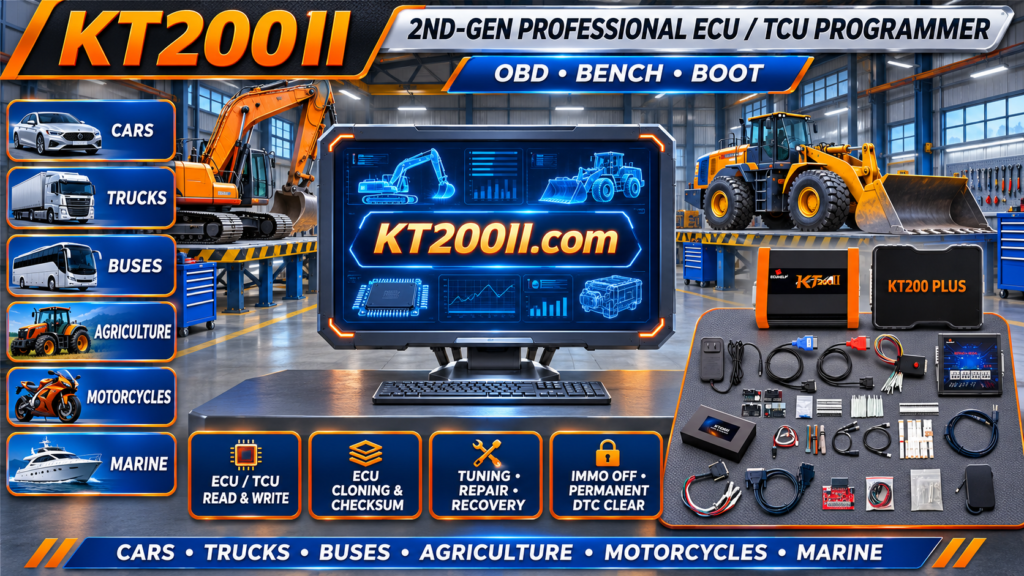
- OBD, Bench and Boot programming modes.
- Flash and EEPROM reading capabilities.
- Supported microcontroller access.
- Reliable original file backup functions.
- ECU writing and recovery support.
- Clear connection diagrams and technical documentation.
- Regular software updates.
It is important to verify individual protocol capabilities instead of relying only on general ECU family compatibility claims.
Visit AutoECUMaster to explore automotive ECU programming equipment and related electronic control module solutions.
11. Best Practices for ECU Data Management
Good data management is essential for professional automotive electronics workshops.
Consider implementing the following practices:
- Use descriptive filenames containing ECU hardware and software identification.
- Store original and modified files separately.
- Maintain multiple backups of important original data.
- Document the programming method used for each ECU.
- Record successful and unsuccessful operations.
- Verify file integrity before writing.
- Keep programming software and technical documentation updated.
12. Conclusion
ECU data reading is a fundamental operation in automotive electronics repair, programming and module replacement. Understanding Flash memory, EEPROM and microcontroller architecture allows technicians to make better decisions when selecting programming methods and handling ECU data.
Whether using OBD, Bench or Boot mode, accurate ECU identification, complete backups and proper file verification are essential for reliable results.
As automotive control systems continue to evolve, professional knowledge and compatible programming equipment will remain important tools for modern automotive repair specialists.
For more information about ECU programming technology and professional automotive electronics solutions, visit AutoECUMaster.