
ECU Cloning Explained: Data Transfer, Compatibility Checks and Replacement ECU Verification
Electronic Control Unit (ECU) cloning is a specialized automotive electronics procedure used in certain controller replacement and repair situations. Depending on the ECU architecture and available programming functions, cloning may involve reading data from an original controller and transferring compatible information to a replacement unit.
When an ECU develops an internal hardware fault, a compatible replacement may provide a practical repair option. However, installing another controller does not always restore normal vehicle operation automatically. Differences in hardware, software, calibration, configuration and vehicle-specific data can affect compatibility.
A successful ECU cloning workflow therefore requires more than copying a file. Technicians must identify both controllers, understand which memory regions are involved, preserve original data and verify that the selected transfer method is supported.
This guide explains the principles of ECU cloning, the information that may need to be transferred, the compatibility checks required before programming and the verification steps that help establish whether a replacement controller is suitable for the intended application.
What Is ECU Cloning?
ECU cloning generally refers to transferring supported data from an original electronic control unit to a compatible replacement controller. The purpose is to reproduce the required software or configuration state so that the replacement can perform its intended function.
The exact meaning of cloning depends on the ECU design and the programming method. Some procedures involve transferring data from specific memory devices, while others require supported operations through a diagnostic, bench or boot-mode interface.
Depending on the controller, relevant data may include:
- Firmware or application software.
- Calibration data.
- Supported EEPROM or Flash memory contents.
- Configuration information.
- Vehicle-specific identification or adaptation data.
- Other controller data required by the approved replacement procedure.
Not every ECU stores all these categories in the same place, and not every category can be read or transferred using the same method.
Some controllers also use protected memory, hardware-specific security features or manufacturer-controlled initialization procedures. In these cases, a complete replacement process may require additional authorized steps rather than a simple memory copy.
ECU Cloning vs ECU Programming vs ECU Coding
These terms are related, but they describe different activities.
| Procedure | Primary purpose | Important consideration |
|---|---|---|
| ECU cloning | Transfer supported data from an original controller to a compatible replacement | Both controllers and the selected transfer method must be compatible |
| ECU programming | Read, write, update or verify supported ECU memory and software | The target ECU, memory region and programming operation must be supported |
| ECU coding | Configure supported vehicle or controller options | Configuration requirements depend on the vehicle and controller |
| ECU adaptation | Perform supported learning, calibration or initialization procedures | Some replacement controllers require additional procedures after installation |
A cloning job may involve programming, but programming alone does not necessarily constitute complete cloning. Similarly, a successfully programmed replacement may still require coding or initialization before all vehicle functions operate correctly.
Step 1: Diagnose the Original ECU Before Cloning
Before attempting to clone an ECU, determine whether the original controller is defective and whether its condition allows the required data to be retrieved.
Symptoms that may lead technicians to consider ECU replacement include:
- The ECU cannot communicate despite verified power and ground connections.
- Internal electronic damage has been identified through appropriate testing.
- The controller has sustained physical damage or moisture ingress.
- A supported programming or recovery procedure cannot restore normal operation.
- Diagnostic evidence indicates an internal fault that justifies replacement.
These symptoms are not conclusive on their own. A communication failure may also result from damaged wiring, a defective connector, an unstable power supply or another vehicle network problem.
Complete the appropriate diagnosis before condemning the ECU. If the original controller is still functional, record its diagnostic information and available software identification before beginning the cloning process.
Step 2: Identify Both the Original and Replacement ECUs
Accurate identification is essential because visually similar controllers may use different hardware revisions, processors, memory layouts or software applications.
Record the available information for both units:
- Manufacturer and complete part number.
- Hardware number and revision.
- Software identification, where available.
- Calibration identification, where applicable.
- Processor and memory device information, where relevant.
- Vehicle, engine and transmission application.
- Previous repair or programming history.
Pay attention to part number suffixes and revision codes. Small differences may indicate an approved replacement, a different application or an incompatible hardware configuration.
If the original ECU cannot communicate, use its physical identification, reliable technical documentation and other available records to establish the required replacement specification.
Do not assume that two controllers are interchangeable solely because they share the same housing or connector arrangement.
Step 3: Confirm Hardware and Software Compatibility
Compatibility must be evaluated before data is transferred. The original and replacement ECUs may have different hardware or software configurations even when they belong to the same general product family.
Check the following areas:
- Whether the replacement is an approved or otherwise verified compatible unit.
- Whether the processor and memory architecture support the intended procedure.
- Whether the relevant software and calibration versions are appropriate.
- Whether the required memory regions are available through the selected programming method.
- Whether additional configuration or initialization is required.
- Whether the programming tool supports the exact controller and operation.
A matching part number is useful evidence, but it does not always prove that the controllers contain identical data or require no additional setup.
Likewise, matching software identifiers do not independently establish hardware compatibility.
When the compatibility relationship cannot be confirmed, obtain reliable technical information before attempting a transfer.
Step 4: Back Up the Original ECU Data
Where the original ECU supports data reading, preserve the relevant original files before performing any modification or transfer.
A reliable backup workflow includes:
- Identify the exact ECU and supported memory regions.
- Select the documented read method.
- Read the required data using compatible equipment.
- Save the original files without modification.
- Record the memory region and file size for each read.
- Verify the results using the available software functions.
- Create separate working copies for subsequent processing.
Depending on the ECU, a cloning procedure may involve more than one memory region. Do not assume that a single file contains every item needed for a complete replacement.
If the original read is incomplete, produces errors or cannot be verified, record the limitation before proceeding. An uncertain file should not be treated as a confirmed recovery backup.
Keep original and modified files separate. A clear naming system can help distinguish the original read, working files and final programming files.
Step 5: Determine Which Data Must Be Transferred
The required data depends on the ECU architecture and the intended replacement procedure. There is no universal rule that every memory region must be copied from every original controller.
Depending on the design, the workflow may require investigation of:
- Firmware: The software responsible for the controller's supported functions.
- Calibration: Application-specific parameters associated with the relevant ECU.
- Non-volatile data: Supported stored information that may be required for the intended replacement procedure.
- Configuration: Settings associated with the vehicle or controller application.
- Other supported memory regions: Additional data identified by the ECU-specific documentation.
Some information may be stored in internal microcontroller memory, external EEPROM, Flash memory or other devices. The organization of the data varies by manufacturer and ECU family.
Before selecting files for transfer, confirm what each file represents and whether the target controller supports the corresponding data format.
Do not copy unknown memory regions merely because they can be read. Unnecessary or incompatible data transfers may create additional faults.
Step 6: Select the Appropriate Programming Method
ECU programming tools may provide different access methods depending on the controller and the operation being performed.
Common methods include:
- OBD: Access through the vehicle's diagnostic connector when the ECU and operation support it.
- Bench: Access to a removed controller through documented external connections.
- Boot mode: A supported method of accessing certain controllers under a specified startup or programming condition.
- Direct chip programming: Access to a supported memory device or processor using the appropriate interface and procedure.
These methods are not universally interchangeable. An ECU may support a particular operation through one access method but not another.
Before connecting the equipment, confirm:
- The exact ECU and hardware revision.
- The intended read or write operation.
- The correct connection diagram and pinout.
- The required power supply and ground connections.
- The programming tool's supported functions.
- The appropriate software version and procedure.
Never select a connection method based only on the connector's appearance or on instructions for a similar controller.
Step 7: Understand the Limitations of ECU Cloning
Cloning does not guarantee that every replacement ECU can be made identical to the original through a straightforward file transfer.
Potential limitations include:
- Different hardware or processor architectures.
- Incompatible memory layouts.
- Protected or inaccessible memory regions.
- Different software or calibration requirements.
- Manufacturer-specific security mechanisms.
- Vehicle-specific coding and initialization requirements.
- Additional faults in the original or replacement controller.
Some systems require a supported configuration or initialization procedure after replacement. Others may require a compatible software version or additional authorized diagnostic steps.
Where security-related data is involved, follow the manufacturer's authorized replacement process. Do not assume that copying memory will resolve every immobilizer, communication or configuration issue.
Cloning should be treated as a controller-specific repair procedure, not a universal solution for all ECU replacement jobs.
Step 8: Verify the Transferred Data Before Installation
After the supported transfer is completed, verify the result before installing the replacement ECU in the vehicle.
Depending on the controller and programming method, verification may include:
- Checking that the programming software reports successful completion.
- Performing a supported read-back or memory verification.
- Comparing the final data with the intended programming file.
- Checking relevant software and calibration identifiers.
- Reviewing any checksum or integrity results provided by the software.
- Confirming that the target controller is recognized through the supported access method.
A matching file hash can establish that two compared files contain identical data, but it does not prove that the data is compatible with the replacement ECU.
Similarly, a successful write message does not guarantee that the controller is fully functional or that every required memory region was transferred.
Interpret verification results according to the selected procedure and the functions supported by the target ECU.
Step 9: Install the Replacement ECU and Complete Required Procedures
Once the replacement controller has passed the applicable checks, follow the manufacturer's installation procedure.
Depending on the vehicle and ECU, the post-installation process may involve:
- Inspecting the connectors and confirming the correct installation.
- Verifying the specified power and ground connections.
- Checking communication with the replacement controller.
- Reading diagnostic trouble codes.
- Completing required coding or initialization.
- Performing supported adaptation or calibration procedures.
- Confirming that the original fault has been addressed.
- Recording the final controller identification and test results.
Some replacement ECUs may require additional manufacturer-specific procedures. Do not assume that a completed cloning operation eliminates all coding or initialization requirements.
Before returning the vehicle to service, complete the required safety and functional checks for the affected system.
Step 10: Troubleshoot Common ECU Cloning Problems
If cloning does not produce the expected result, review the process systematically rather than repeating the same write operation without additional diagnosis.
| Observed problem | Possible causes | Recommended action |
|---|---|---|
| Original ECU cannot be read | Power or communication fault, internal damage or unsupported access method | Check the electrical setup and confirm the supported read procedure |
| Replacement ECU is not recognized | Incorrect connections, incompatible hardware or a controller fault | Verify the part number, pinout, power supply and supported access method |
| Programming operation fails | Unstable electrical conditions, unsupported file or software mismatch | Record the error and verify the complete setup before retrying |
| Write completes but the vehicle reports faults | Configuration differences, incompatible software, incomplete transfer or another vehicle fault | Review diagnostic codes, identification data and required initialization |
| Replacement communicates but functions incorrectly | Calibration mismatch, missing configuration or an unrelated system fault | Verify compatibility and complete the documented post-installation checks |
| Original backup is incomplete | Unsupported memory region, failed read or damaged original controller | Determine which data is missing and investigate approved recovery options |
These are general troubleshooting directions rather than definitive diagnoses. The actual cause must be confirmed using the correct technical information and appropriate tests.
Common ECU Cloning Mistakes
Choosing a Replacement Based Only on Appearance
Controllers with similar housings may contain different hardware or software. Verify the complete part number and compatibility requirements.
Assuming One Memory File Contains Everything
Different ECU designs store information in different memory regions. Confirm which data is required for the specific replacement procedure.
Skipping the Original Backup
Where reading is supported, preserve the original data before making changes. Keep the original files unchanged and document any limitations.
Using an Incompatible File
Similar file sizes or matching vehicle models do not prove compatibility. Check the ECU hardware, software, calibration and intended operation.
Assuming a Successful Write Means the Job Is Complete
A completed write does not necessarily prove that the controller is fully functional or correctly configured. Complete the required verification and diagnostic checks.
Ignoring Post-Installation Coding
Some vehicles require additional coding, adaptation or initialization after an ECU replacement. Confirm the manufacturer's requirements before returning the vehicle to service.
How AutoEcuMaster Fits Into ECU Cloning Workflows
AutoEcuMaster provides an automotive ECU programming resource for technicians working with electronic control unit repair and related procedures. In any cloning workflow, the correct equipment and method depend on the exact controller, the required memory operations and the available technical support.
Before selecting a programming solution, confirm the target ECU, supported access method, required memory regions and available verification functions.
These resources can help with related programming preparation:
- AutoEcuMaster Official Website.
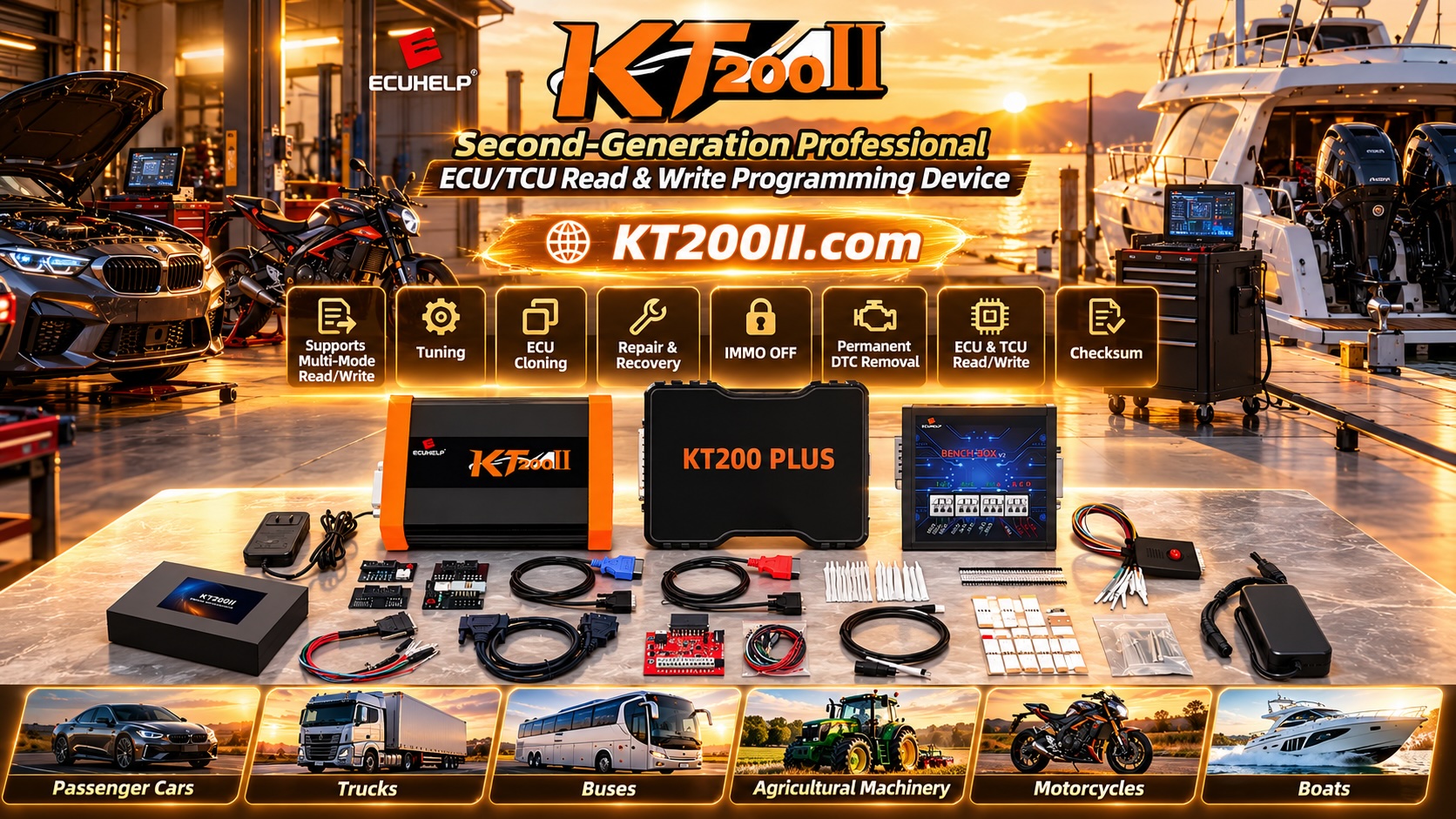
- KT200II ECU Programmer Product Information.
- KT200II Supported ECU List.
- KT200II Operation Modes Guide.
- KT200II Software Resources.
Always verify the current support information for the exact ECU and intended operation. Support for one controller or memory region does not guarantee support for every cloning, recovery or replacement procedure.
ECU Cloning Checklist
- Original ECU fault diagnosed.
- Original and replacement controllers identified.
- Hardware and software compatibility reviewed.
- Original data backed up where supported.
- Required memory regions identified.
- Programming method and pinout confirmed.
- Electrical connections and power supply verified.
- Selected files checked for compatibility.
- Supported transfer operation completed.
- Data integrity and read-back checks performed where available.
- Replacement ECU communication verified.
- Required coding or initialization completed.
- Diagnostic and functional checks performed.
- Final results and limitations documented.
Frequently Asked Questions
What does ECU cloning mean?
ECU cloning generally involves transferring supported data from an original controller to a compatible replacement. The exact process depends on the ECU architecture, memory configuration and programming method.
Can every ECU be cloned?
No. Feasibility depends on the controller's hardware, memory access, security features, available data and supported programming methods. Some replacement procedures require additional manufacturer-specific steps.
Does ECU cloning require both controllers to have identical part numbers?
Not necessarily, but compatibility must be established. Some replacement units may be approved substitutes, while others may differ in hardware or software in ways that prevent a direct transfer.
Does ECU cloning always transfer EEPROM and Flash?
No. The required memory regions depend on the specific ECU and replacement procedure. Some controllers use internal memory, external memory or other data storage arrangements.
Can a cloned ECU still require coding?
Yes. Depending on the vehicle and controller, additional coding, adaptation or initialization may be required after the data transfer.
What should I do if the original ECU cannot be read?
Confirm the power supply, ground connections, communication path and supported access methods. If the original controller is damaged, investigate the available authorized recovery and replacement procedures rather than assuming that a complete clone can be produced.
How do I know whether ECU cloning was successful?
Use the verification methods supported by the controller, review the relevant software identification and complete the required diagnostic and functional checks. A successful write message alone is not sufficient proof that the entire replacement process is complete.
Conclusion
ECU cloning can be an effective part of certain automotive controller replacement and repair procedures, but its success depends on accurate identification, compatible hardware, appropriate data transfer and reliable verification.
Technicians should begin by diagnosing the original ECU, comparing the original and replacement controllers and preserving accessible data. They should then select a supported programming method, verify the transferred data and complete any required post-installation coding or initialization.
By following a structured process rather than assuming that every controller can be cloned in the same way, automotive workshops can reduce avoidable programming errors and improve the reliability of ECU replacement work.
Professional use notice: ECU cloning should be performed only on controllers for which the technician is authorized to carry out the work, using compatible equipment, verified files and documented procedures. Preserve original data where supported, respect security-related protections and follow the vehicle manufacturer's requirements for programming, coding and safety verification.




