
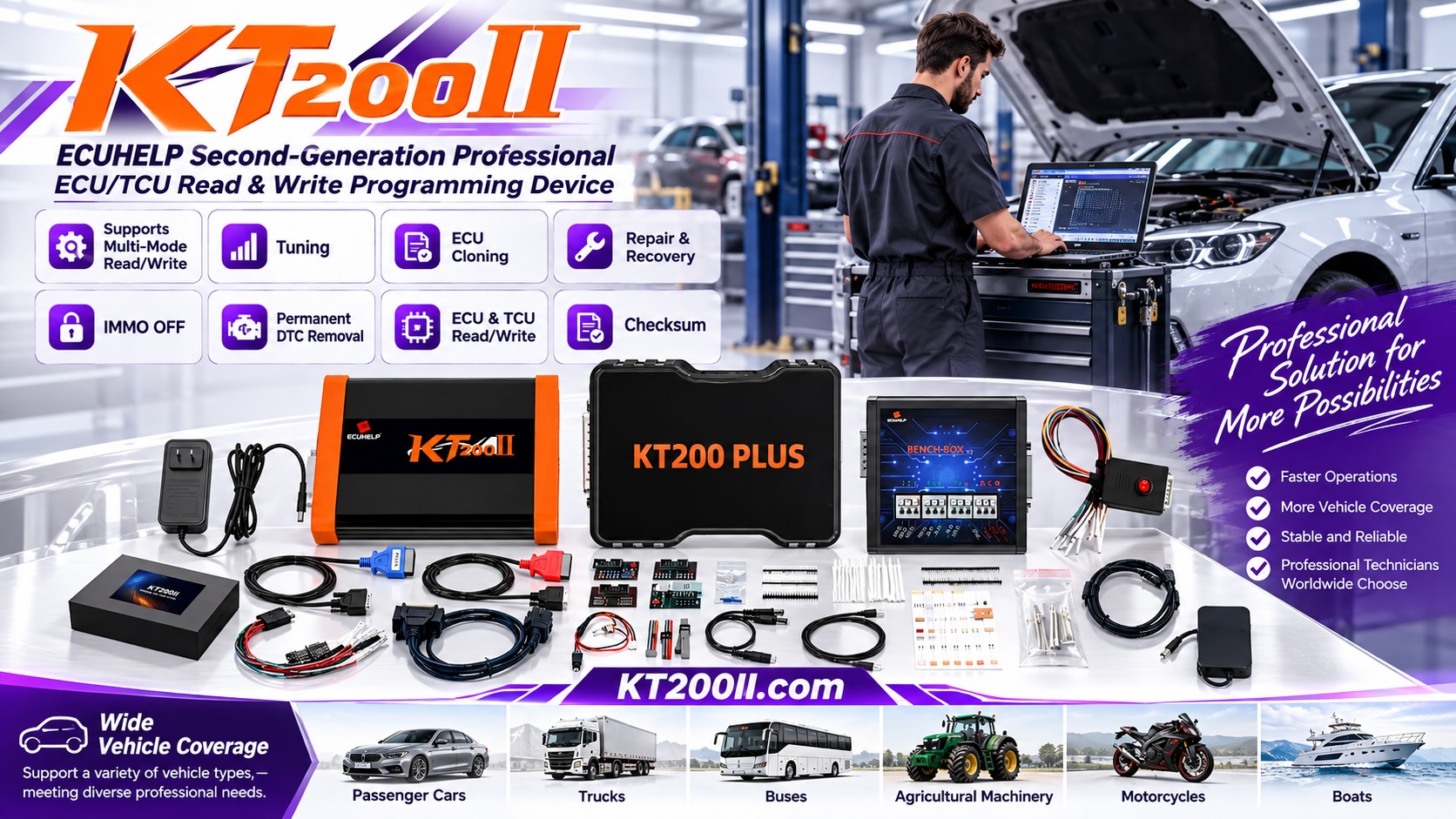
Multi-ECU Vehicle Programming Sequence Checklist for Professional Workshops
Modern vehicles may contain several electronic control units that communicate through shared vehicle networks. An engine ECU, transmission controller, body control module, gateway, immobilizer system, and other modules can all be involved in one repair or replacement job.
When more than one module must be read, written, cloned, or replaced, the order of operations matters. A clear multi-ECU vehicle programming sequence helps technicians protect original data, maintain vehicle communication, and verify each stage before moving to the next module.
Why Sequence Planning Matters
Programming several modules independently without a plan can create confusion. A replacement module may depend on information from another controller, while a gateway or immobilizer system may need to recognize the module before the vehicle can operate normally.
The exact procedure depends on the vehicle manufacturer, ECU family, software requirements, and workshop experience. The checklist below is a process-control guide. It should be used together with vehicle documentation, confirmed support information, and the correct programming instructions.
Multi-ECU Programming Sequence Planning Table
| Planning Item | Recommended Action |
|---|---|
| Module inventory | List every ECU, TCU, gateway, immobilizer, and body controller involved in the job. |
| Original data | Confirm that the required original files and identification records are backed up. |
| Dependency review | Identify modules that may depend on vehicle identity, security data, coding, or network communication. |
| Operation order | Define which module will be read, written, cloned, installed, or verified first. |
| Connection method | Assign OBD, Bench, Boot, JTAG, BDM, or another supported access method for each module. |
| Verification point | Specify the test or scan required before continuing to the next controller. |
1. Create a Complete Module Inventory
Begin by listing all controllers related to the repair. Do not record only the main engine ECU if the job also involves a TCU, gateway, body module, immobilizer, or another network-connected controller.
For each module, record the vehicle location, module name, hardware number, software information, connector condition, and current status. If a replacement module is involved, keep its identification separate from the original module information.
2. Identify Data Dependencies
Some modules contain vehicle identity, security, coding, calibration, or communication information that may affect other controllers. Before programming begins, determine whether the job involves synchronization, cloning, coding, adaptation, or a required installation order.
Do not assume that the physical order of module removal is the correct programming order. The safest sequence is based on the vehicle system design and the confirmed procedure for the specific ECU family.
3. Preserve Original Data Before Making Changes
Whenever the module and procedure allow it, create and safely store an original read or backup before writing new data. Use a separate folder for each module and include the job reference, vehicle identity, module number, date, and read method in the file record.
Original files should never be overwritten by edited, modified, or newly generated files. If more than one read is performed, label each file clearly so the technician can identify which backup belongs to which controller.
4. Assign the Correct Access Method
A multi-module job may use different connection methods for different controllers. One ECU may be accessible through OBD, while another may require Bench or Boot access. A TCU or gateway may have its own supported procedure.
Review the official KT200II Operation Modes page before assigning the workstation. Confirm whether the planned operation uses OBD, Bench, Boot, JTAG, or BDM communication, and prepare the correct harness or adapter for each stage.
5. Program One Module at a Time
When several modules are involved, keep one active operation at a time unless the vehicle-specific procedure explicitly requires another arrangement. Before connecting a module, compare its label and identification with the work order.
After each read or write operation, record the result, file used, software status, and next step. This prevents a technician from moving to the next controller while an earlier module is still awaiting verification.
6. Verify Communication Between Stages
After programming or replacing one module, check the required communication state before continuing. Depending on the vehicle, this may include ignition cycling, a diagnostic scan, fault-code review, coding confirmation, or a specific initialization procedure.
If the vehicle system does not respond as expected, pause the queue and investigate before programming another controller. Continuing without understanding the first result can make later troubleshooting more difficult.
7. Confirm Coverage and Software Requirements
Before reserving the workstation, review the KT200II Support List for the vehicle, ECU, or TCU involved. This helps technicians confirm whether the required module and operation are listed before work begins.
Use the official KT200II software page for software resources and update information. The KT200II product page also provides an overview of supported ECU and TCU programming functions, cables, and operation methods.
Multi-ECU Programming Checklist
- List every ECU, TCU, gateway, immobilizer, and body controller involved.
- Record the identification and physical condition of each module.
- Confirm the required original backups before writing data.
- Review possible coding, security, synchronization, or network dependencies.
- Assign the correct access method for every module.
- Prepare the correct software, cable, adapter, and workstation.
- Program one module at a time and update the job record after each stage.
- Verify communication before proceeding to the next controller.
- Perform a final scan and record the completed programming sequence.
Conclusion
A carefully planned multi-ECU vehicle programming sequence helps workshops manage complex repairs with better traceability. By identifying every controller, protecting original data, reviewing dependencies, assigning the correct operation mode, and verifying each stage, technicians can reduce confusion when several modules are involved in the same vehicle.
For more ECU and TCU programming guidance, visit the KT200II official blog. The official KT200II resources combine support-list checking, software information, operation-mode guidance, and practical workshop knowledge for professional programming work.




