How to Program Bosch ME17.9.20 ECU with KT200II
Bosch ME17.9.20 programming requires precise identification, stable power and a file matched to the connected controller. An ECU family name or compatible-looking connector cannot confirm the correct protocol, memory operation or Write file.
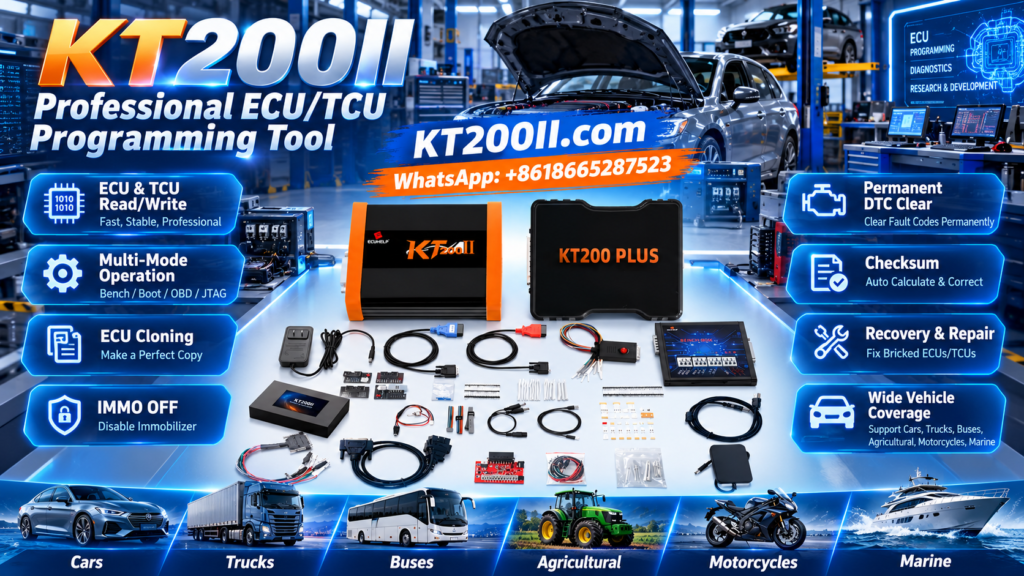
This guide explains a controlled KT200II workflow for supported ME17.9.20 applications, including OBD, Bench and Boot mode selection, original backup validation, checksum, writing and post-programming diagnostics.
Understanding Bosch ME17.9.20
ME17.9.20 belongs to the Bosch gasoline engine-management controller family. Depending on the vehicle application, the ECU may coordinate fuel injection, ignition, electronic throttle, boost control, torque management, emissions functions and network communication.
Controllers sharing the ME17.9.20 designation can still contain different:
- Bosch and vehicle-manufacturer part numbers
- Hardware revisions
- Software versions
- Calibration datasets
- Memory layouts
- Security configurations
- Vehicle and engine applications
- Supported programming operations
KT200II.COM is the official KT200II product website. It provides the main KT200II product information, software resources, operation-mode explanations, supported ECU and TCU database and technical programming guides.
Pre-Programming Documentation
Vehicle Information
Record the manufacturer, model, year, engine, transmission and relevant vehicle identification.
ECU Label
Photograph every readable Bosch number, manufacturer reference, barcode and hardware marking.
Electronic ECU ID
Save the hardware, software, calibration and other identification information reported by KT200II.
Vehicle Condition
Record starting behavior, warning lights, battery condition, existing faults and known symptoms.
Perform and save a complete diagnostic scan before programming. This establishes which faults existed before the ECU was read or written.
Confirm Current KT200II Support
Search for the exact ME17.9.20 controller or vehicle application in the official KT200II Support List.
Confirm all available protocol details:
- Exact ECU and vehicle application
- Supported KT200II protocol
- Required OBD, Bench or Boot mode
- Electronic identification function
- Virtual Read or physical Read availability
- Supported Flash, EEPROM, Micro or backup operations
- Available Write and recovery functions
- Protocol-specific connection notes
OBD, Bench and Boot Mode Comparison
| Mode | Typical Use | Main Precaution |
|---|---|---|
| OBD | Supported identification, Virtual Read, physical Read or Write with the ECU installed | Maintain vehicle voltage and follow every ignition instruction. |
| Bench | Direct communication through the external connector after ECU removal | Verify all power, ground and communication connections before energizing the ECU. |
| Boot | Supported deeper memory access, backup or recovery operations | Open the ECU carefully and use only the exact controller-specific diagram. |
The official KT200II Operation Modes page explains OBD, Bench, Boot, JTAG and BDM programming access.
Use the least invasive supported method that provides the functions required for the job. Do not open the ECU when a confirmed OBD or Bench operation already supports the intended Read or Write.
Prepare Stable Power and Communication
- Use an appropriate regulated vehicle-support or Bench supply.
- Confirm the correct voltage and polarity before applying power.
- Inspect the KT200II cable, adapter and ECU connector.
- Secure every connection against movement.
- Use a reliable laptop USB port.
- Prevent laptop sleep, restart and automatic shutdown.
- Close unnecessary applications before writing.
- Monitor voltage during Read, erase, Write and verification.
- Keep unnecessary electrical consumers switched off.
ME17.9.20 OBD Workflow
Save the Diagnostic Report
Confirm normal ECU communication and record all current and stored faults.
Stabilize Vehicle Voltage
Connect an appropriate regulated supply before starting identification or programming.
Select the Exact Protocol
Use the application matched to the label, vehicle and current KT200II support data.
Read ECU Identification
Save the complete electronic ID and compare it with the physical controller.
Perform the Supported Read
Determine whether the operation provides Virtual Read, physical data or another protocol-specific result.
Validate the Write File
Check its hardware, software, source, size, memory operation and checksum status.
Write and Finalize
Keep voltage and communication stable until KT200II confirms complete success.
ME17.9.20 Bench Workflow
Bench mode connects directly to the removed ECU through its external connector. When supported by the exact protocol, it provides direct communication without opening the housing.
- Follow the vehicle service procedure before disconnecting the battery.
- Remove the ECU without damaging the connectors.
- Confirm the complete ECU label again.
- Select the exact ME17.9.20 Bench protocol.
- Open the associated KT200II connection diagram.
- Connect all required power, ground and communication terminals.
- Inspect the setup before applying power.
- Read and save the ECU identification.
- Create every supported original backup required for the job.
- Keep the ECU and cables stationary until finalization is complete.
ME17.9.20 Boot Mode Preparation
Boot mode can provide supported memory or recovery functions that are unavailable through normal communication. Because the housing normally needs to be opened, careful physical preparation is essential.
- Clean the ECU exterior before opening it.
- Use appropriate tools and controlled heat where required.
- Avoid inserting opening tools into the circuit board area.
- Protect the board against bending, impact and static discharge.
- Confirm the exact board orientation shown by the protocol.
- Use only the designated Boot and communication points.
- Do not probe unidentified components.
- Secure probes and adapters against movement.
- Keep conductive material away from the circuit board.
- Reseal the ECU after successful programming and testing.
Read and Preserve the Original Data
Save all original data made available by the confirmed protocol before writing. One saved file does not necessarily include every memory area required for recovery or replacement work.
| Data Type | Possible Content | Storage Rule |
|---|---|---|
| Virtual Read | Matching software obtained through a supported ECU identification workflow | Label it as Virtual Read and preserve the identification used to obtain it. |
| Flash | Program, calibration or protocol-defined Flash data | Record the connection mode, operation, exact size and completion result. |
| EEPROM | Configuration or controller-specific information where supported | Store it separately and associate it with the original ECU. |
| Micro or MCU | Processor-related data available through the protocol | Record the controller, protocol and precise memory function. |
| Full Backup | A protocol-defined collection of accessible data | Confirm which memory regions the backup includes. |
Protect the master original from editing. Save modified files and the exact final Write file separately.
Validate the Read Before Editing
- Confirm that KT200II displayed successful Read completion.
- Record the exact file size in bytes.
- Match the file with the selected memory operation.
- Repeat the same Read where appropriate.
- Compare repeated results for size and data consistency.
- Confirm that no voltage, USB or communication interruption occurred.
- Separate Virtual Read files from physical reads.
- Do not remove unknown headers or manually resize the file.
- Associate every file with the original ECU identification.
Verify File Compatibility
Controller References
Compare the complete Bosch and vehicle-manufacturer part numbers.
Hardware
Verify the hardware number and relevant controller revision.
Software
Compare the software and calibration information with the connected ECU ID.
Memory Operation
Use Flash, EEPROM, Micro, Virtual Read or backup data only with its matching function.
Do not approve a file because its name contains ME17.9.20, because its extension is correct or because it is the same size as the original. Establish its technical relationship with the connected controller.
Checksum and Compatibility Are Separate
| Validation Check | What It Helps Confirm | What It Cannot Prove |
|---|---|---|
| ECU Identification | Hardware and software reported by the connected ECU | Compatibility of an external candidate file |
| File Size | Expected length or obvious truncation | Correct software or vehicle application |
| Checksum | Internal consistency of supported data regions | Correct ECU hardware or memory layout |
| Filename | The workshop description of a file | Authenticity, source or compatibility |
Determine whether checksum correction is performed by the editing software, the KT200II protocol or another controlled step. Keep the original file unchanged and document the software used to prepare the final Write file.
Professional ME17.9.20 Write Procedure
Read the ECU ID Again
Confirm that communication and identification still match the documented controller.
Select the Correct Write Function
Match the candidate file with the supported memory operation.
Inspect the Final File
Verify the source, size, hardware, software, modification and checksum status.
Check Power and Connections
Inspect the complete setup and confirm voltage stability.
Start the Write
Do not move cables or operate the ignition unless KT200II requests it.
Wait for Complete Finalization
Remain connected until verification and the final success message are complete.
Follow the Exact Power Cycle
Complete all requested ignition changes and waiting periods.
Post-Write Verification
- Read ECU identification again.
- Confirm the intended software information.
- Perform a complete vehicle diagnostic scan.
- Save the post-write report before clearing faults.
- Compare new faults with the pre-write report.
- Check communication and voltage-related faults.
- Review relevant engine and network live data.
- Confirm normal cranking and starting.
- Observe idle quality and warning lights.
- Complete any required authorized coding or adaptation.
- Perform a controlled functional test.
- Run and save the final diagnostic scan.
If Communication Fails After Write
Do not perform repeated random writes. Preserve and record:
- Complete KT200II error message
- Exact protocol selected
- OBD, Bench or Boot mode used
- Original ECU identification
- Original backup filenames
- Exact file written
- Write completion status
- Finalization and power-cycle steps
- Vehicle or Bench voltage
- Current ECU communication result
Verify the exact controller in the official KT200II support database and determine whether the confirmed original protocol provides an appropriate recovery operation.
Common ME17.9.20 Programming Mistakes
| Mistake | Possible Result | Prevention |
|---|---|---|
| Selecting by ECU family only | Incorrect protocol or connection mode | Match the label, vehicle and electronic ECU ID. |
| Programming with unstable voltage | Interrupted Write or communication loss | Use and monitor an appropriate regulated supply. |
| Using an unrelated Bench diagram | Incorrect connections or ECU damage | Follow the exact selected-protocol diagram. |
| Confusing Virtual and physical Read | Incorrect assumptions about backup contents | Document the source and purpose of every file. |
| Writing an unverified file | No-start, faults or abnormal operation | Verify hardware, software, memory and checksum. |
| Disconnecting at 100 percent | Interrupted verification or finalization | Wait for the complete success message. |
KT200II ME17.9.20 Checklist
- Vehicle and engine information recorded
- Complete ECU label photographed
- Pre-write diagnostic report saved
- Exact KT200II protocol confirmed
- Current KT200II software used
- OBD, Bench or Boot mode verified
- Connection diagram checked
- Stable power supply connected
- Original ECU ID saved
- Supported original data backed up
- Exact file sizes recorded
- Virtual and physical reads separated
- Candidate file compatibility verified
- Checksum workflow confirmed
- Correct Write function selected
- Complete success message received
- Requested power cycle completed
- Post-write ECU ID saved
- Complete vehicle scan performed
- Functional test completed
- Original and final files archived
Official KT200II Resources
- KT200II.COM official product website
- KT200II product introduction and versions
- KT200II OBD, Bench, Boot, JTAG and BDM modes
- KT200II Software Download
- KT200II supported ECU and TCU database
- KT200II technical programming guides
Final Recommendation
Safe Bosch ME17.9.20 programming depends on exact controller identification, current protocol confirmation, stable power and a protected original backup. Use only the connection mode and memory function supported for the controller in front of you.
Before writing, verify the hardware, software, file source, memory operation and checksum process. After programming, follow the complete finalization sequence, read ECU identification again and perform diagnostic and functional checks. If communication or vehicle operation is abnormal, protect the original files and diagnose the cause before another Write.
Confirm ME17.9.20 Support Before Programming
Search the official KT200II database for the exact ECU application, available functions and required operation mode.
Search KT200II Support Compare Operation Modes